From Ars Technica · · 4m
Googlebook review: Android on a laptop is still Android
Google's new premium Android laptops have excellent hardware but struggle with software designed for phones, making them hard to recommend over Windows or macOS.
In brief
Google's new premium Android laptops have excellent hardware but struggle with software designed for phones, making them hard to recommend over Windows or macOS. Google's Googlebooks offer premium hardware and deep Android integration but lack the software maturity to compete with Windows and macOS at their high price…
Google's Android laptop gamble
Google has adapted Android for laptops with Googlebooks, designed to compete with Windows and macOS. These premium machines offer native Android app support but face entrenched competition.
The Android problem persists
Despite premium hardware, Googlebooks feel like giant phones or Chromebooks rather than real laptops. The Android roots make the experience inconsistent and sometimes frustrating for desktop users.
“It almost never feels like using a premium laptop, and that's the problem.”
Premium hardware across the lineup
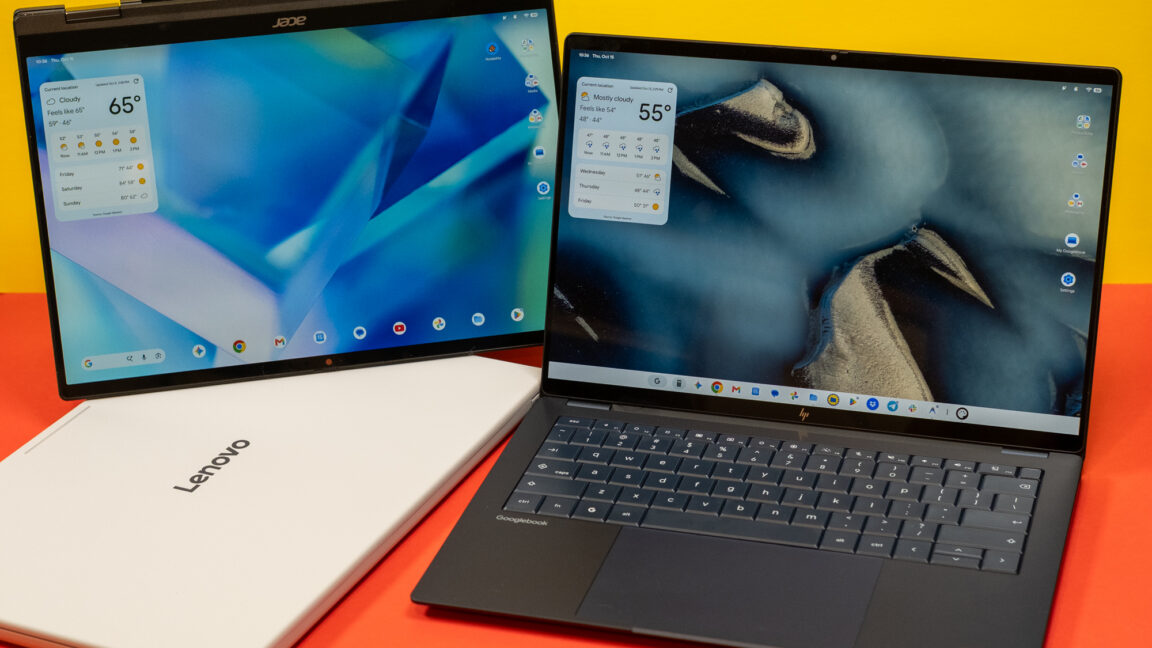
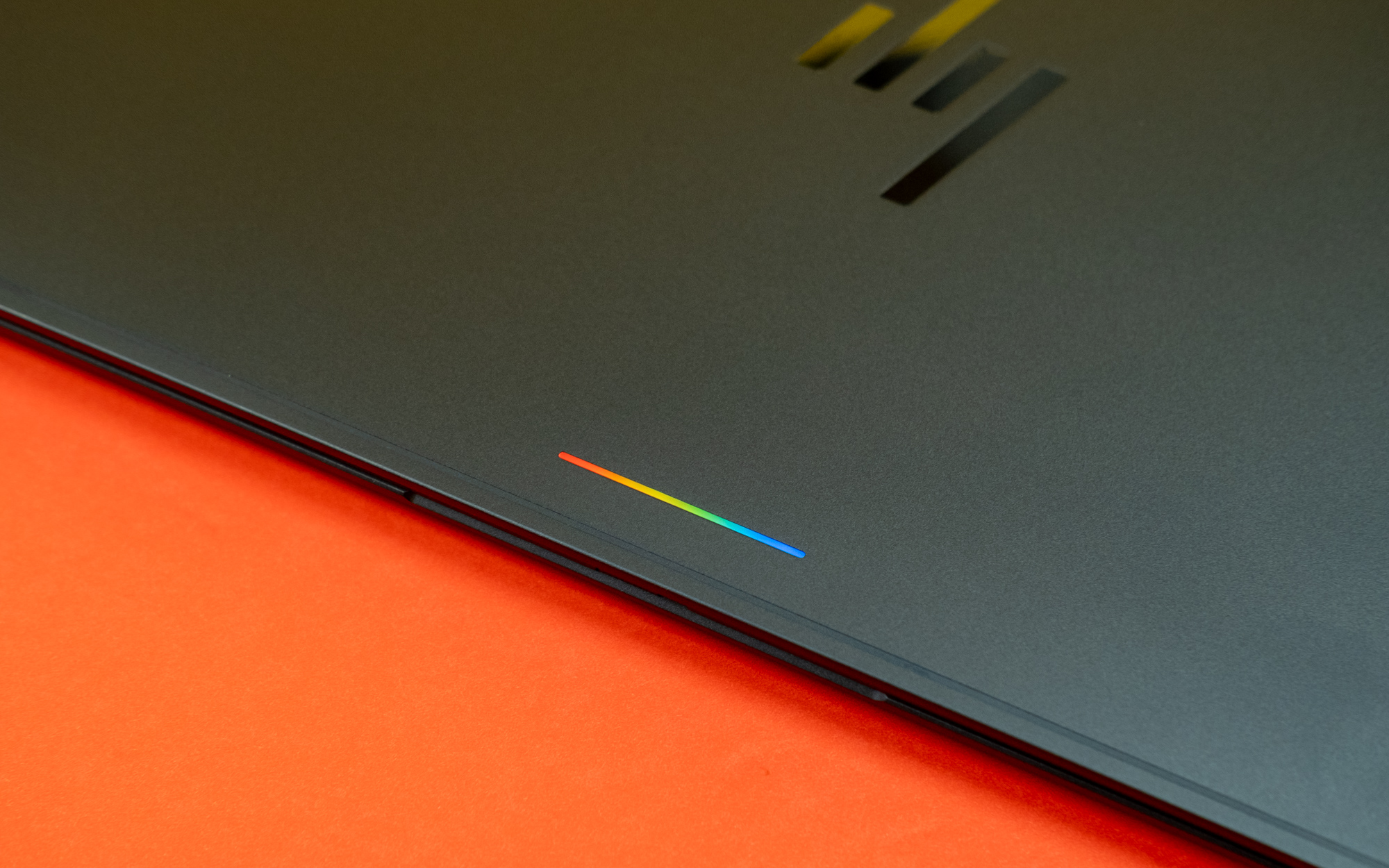
All launch Googlebooks feature excellent touchscreen displays, aluminum and magnesium bodies, biometric unlock, and large trackpads. The Glowbar lights up in Google colors during Gemini activation and boot.
Pricing starts at eight ninety-nine
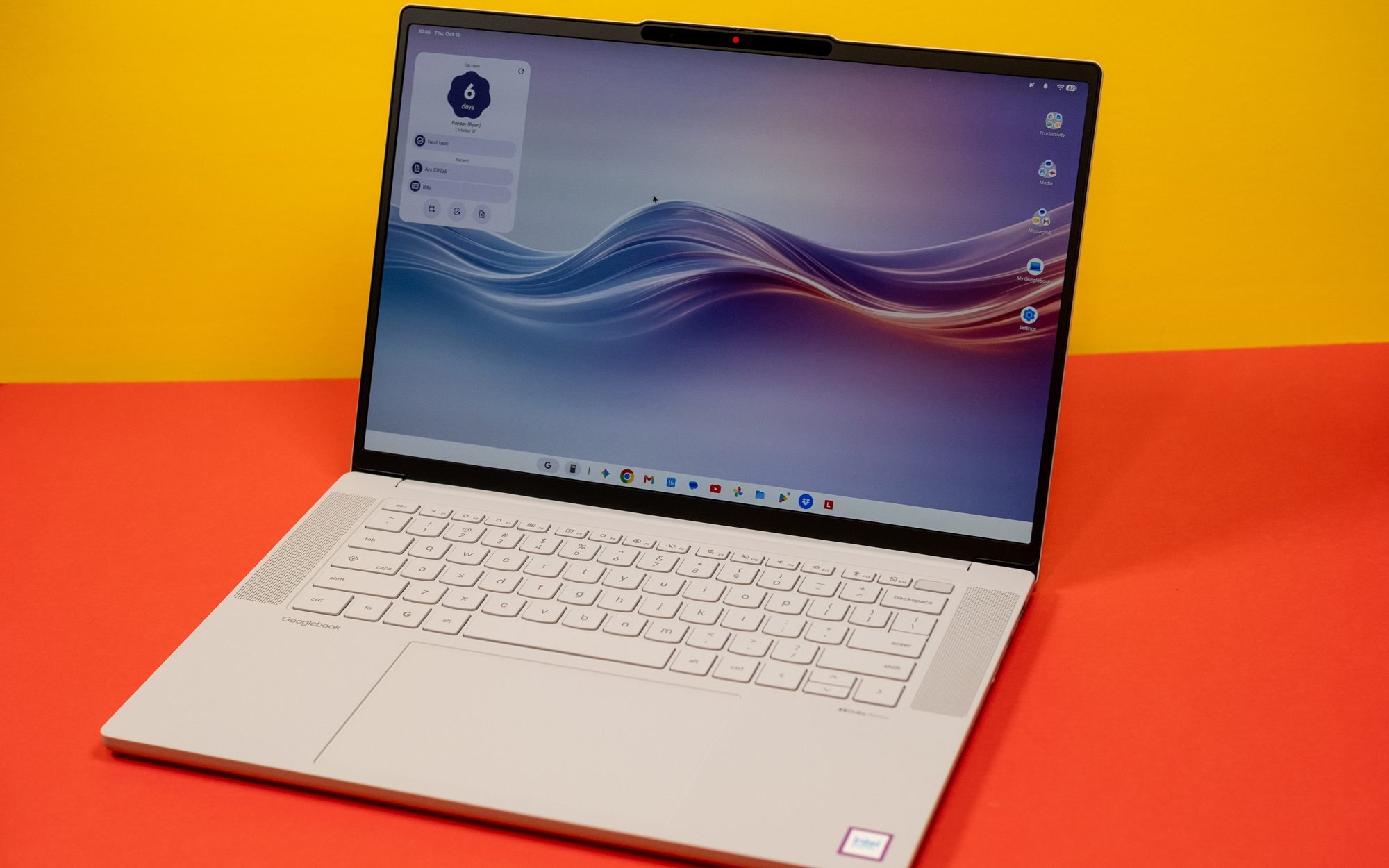
The Acer Googlebook fourteen starts at eight hundred ninety-nine dollars as a limited-time deal. It includes an OLED screen and metal chassis but lacks a haptic trackpad.
Higher-end models cost more
The Dell XPS Googlebook costs nine hundred ninety-nine dollars with an LCD screen. OLED and haptic trackpads require spending at least one thousand one hundred dollars for the Lenovo version.
The premium price problem
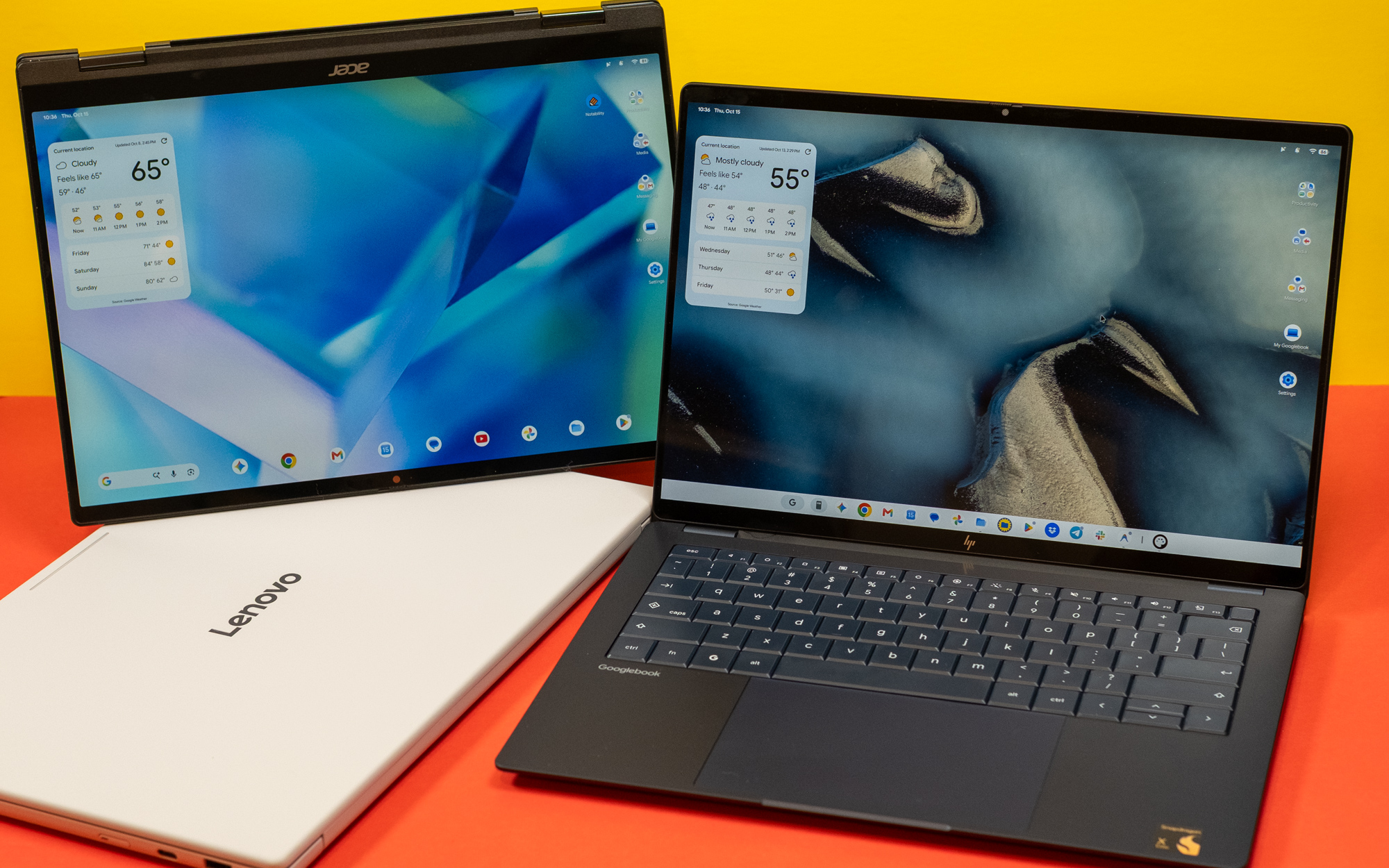
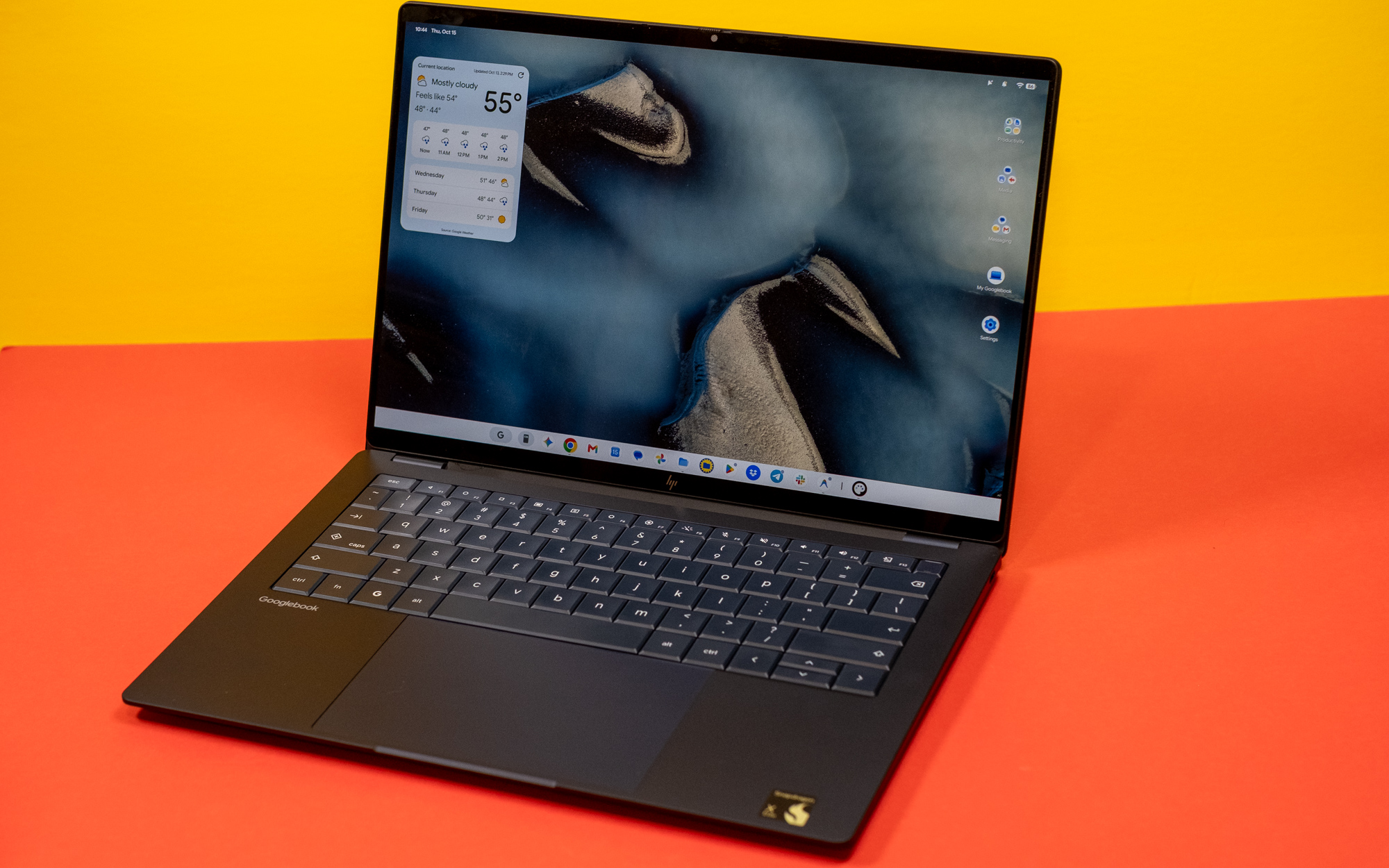
The HP Googlebook fourteen costs one thousand three hundred dollars with a Snapdragon X Elite chip. At this price, the entry-level MacBook Air is probably a better option for most people.
Keyboard redesign for Android
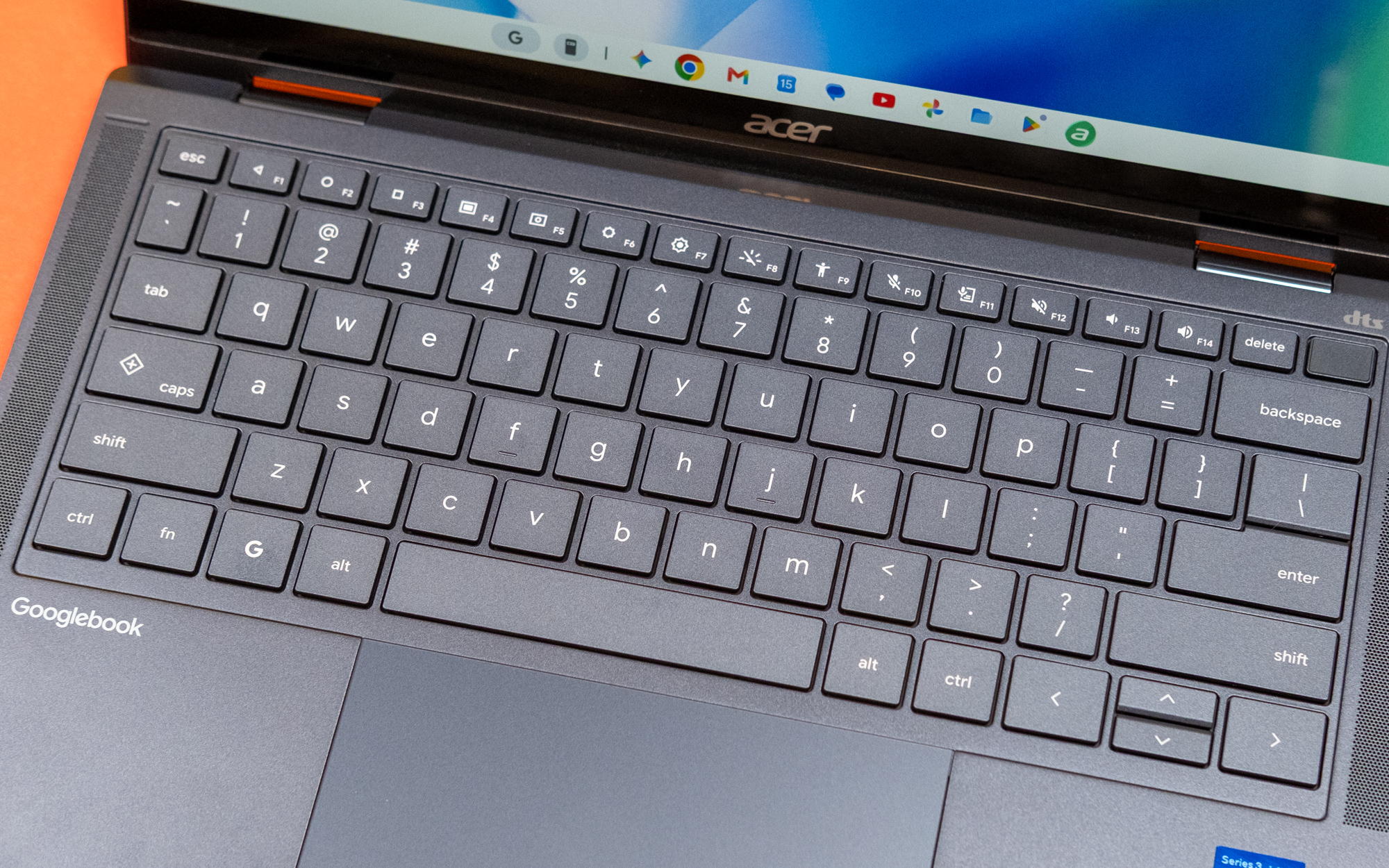
All Googlebooks have a G button like Windows button and revamped F-row with Android navigation buttons. Quick insert replaces caps lock for emoji, screenshots, clipboard contents, and URLs.
Performance is comparable
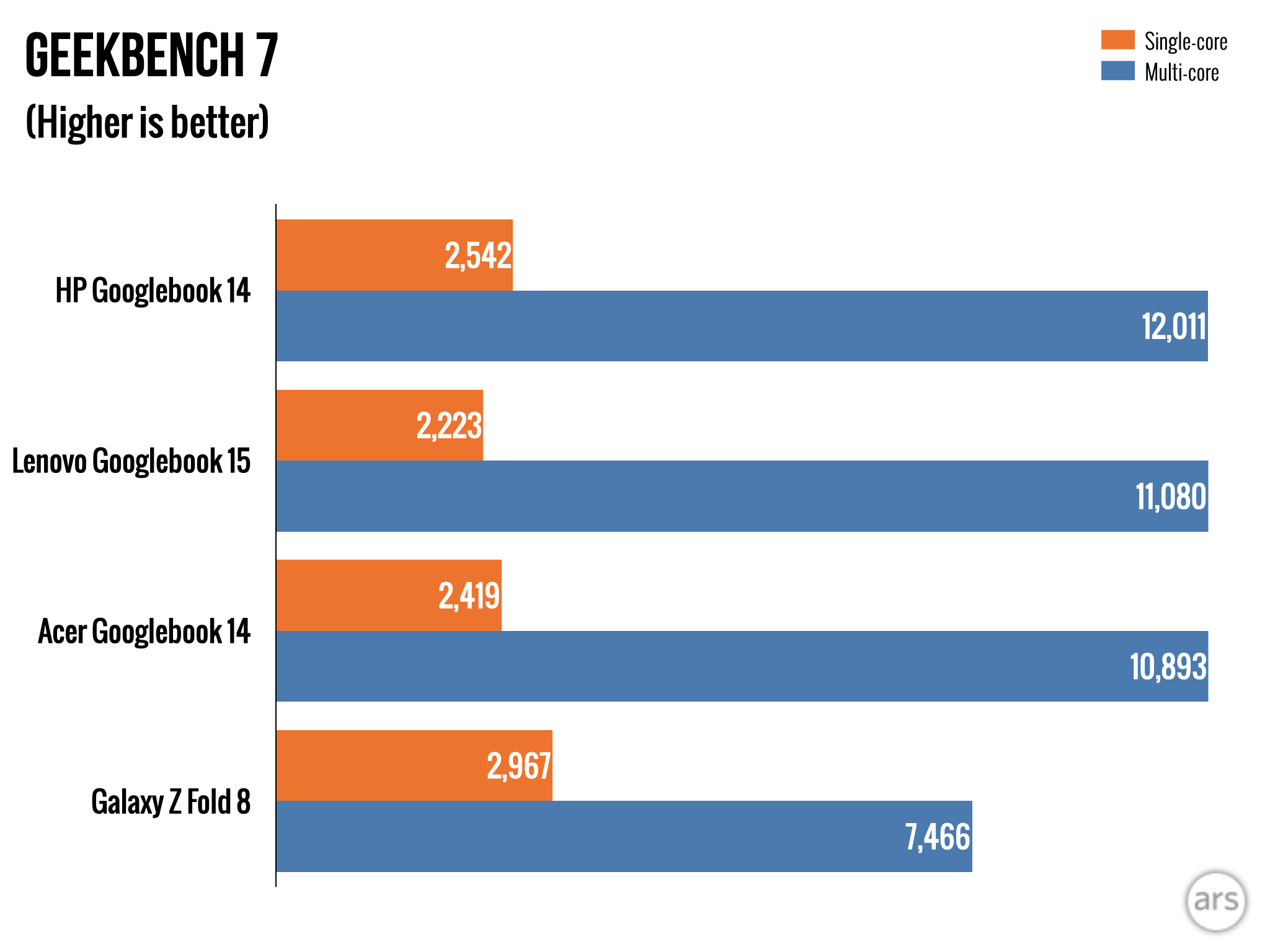
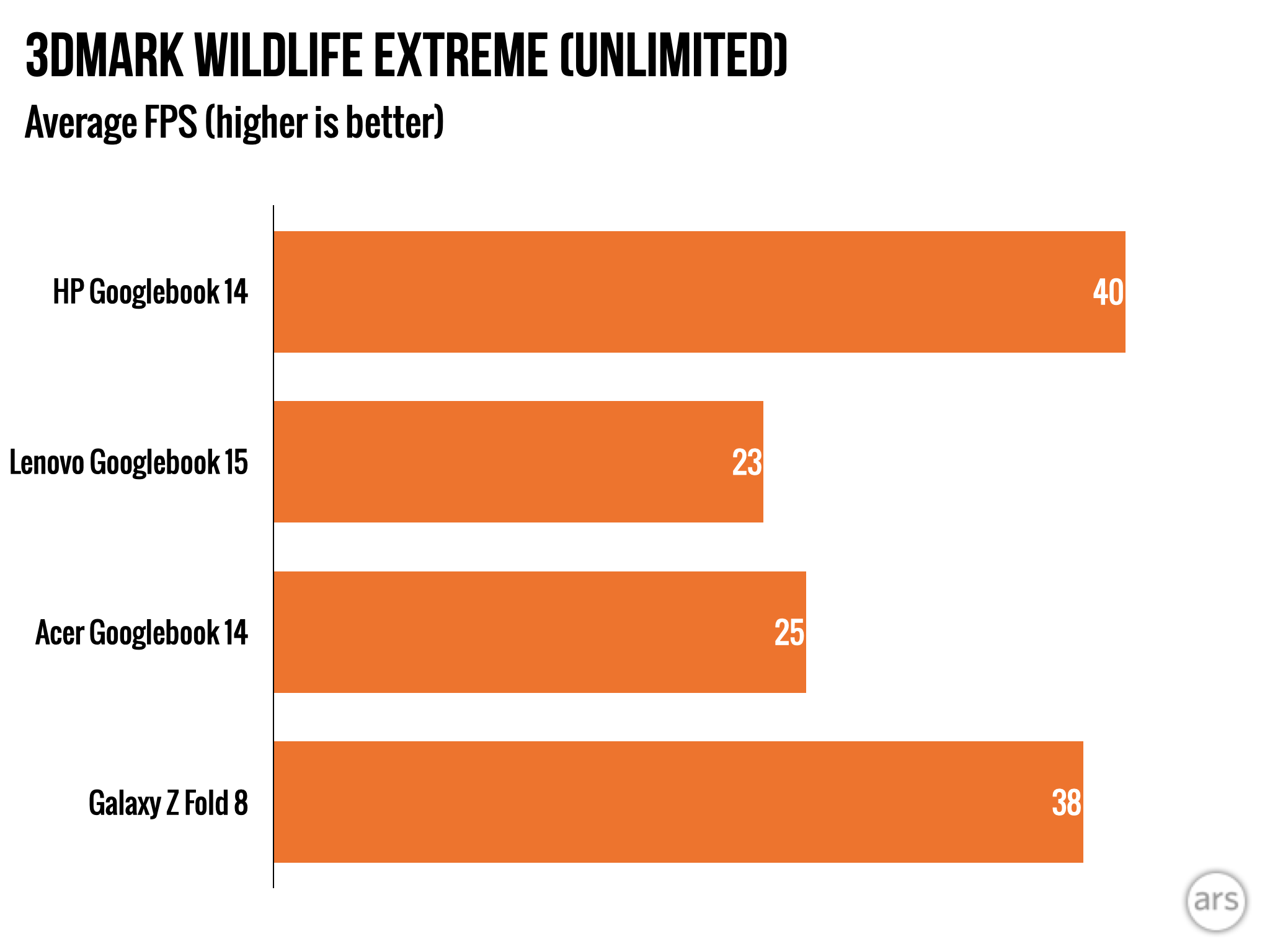
Intel and Snapdragon Googlebooks perform similarly in CPU tests. Snapdragon has better GPU performance and gaming, but even heavy Android games run fine on Intel models.
Setup is quick for Android users
Setting up a Googlebook is fast for Android users. Scan a QR code with your current phone to copy accounts, data, and apps automatically. Requires Android seventeen on your phone.
Phone integration has limits
Better Together services let Googlebooks access files, sync notifications, and mirror apps from Android seventeen phones. Connection requires same Wi-Fi network and often breaks in annoying ways.
File access is one-way
The Files app on Googlebook can see your phone, but the Google Files app on phone cannot see the Googlebook. Transfer speeds are sluggish and the Files app lacks tabs and network share support.
Magic Pointer is not revolutionary
Magic Pointer lets you wiggle the cursor to feed screen content to Gemini for translation, image creation, or calendar appointments. It is essentially feeding screenshots to AI with extra steps.
Most Play Store apps are phone-first
Googlebooks come with the Play Store but most apps are built for phones. Chrome is mostly desktop-class but lacks split windows and tab groups. Few apps are truly optimized for laptops.
Google apps are web apps
Drive, Gmail, and Calendar are progressive web apps on Googlebook, not native apps. You get the same experience as opening them in a browser tab, offering less functionality than Windows or macOS.
Slack and others are unusable
Slack is an abysmal experience on Googlebooks outside phones. The web UI is more desktop-friendly but installing Slack as a progressive web app does not work currently for unknown reasons.
Antigravity offers a workaround
Google includes Antigravity, an AI-centric development app, on every Googlebook. It can generate code and build APKs for custom apps, but requires hours of prompting to create something functional.
The fundamental question remains
Do Googlebooks need to exist when Chromebooks are already established? The hardware is solid but the OS is not doing its part. Googlebooks are too expensive for what they deliver.
“Do Googlebooks need to exist?”
Google has work ahead
Google can fix Googlebooks like it did ChromeOS, but the company has a lot of work ahead. Recent history leaves doubt about Google's patience to spend years on this, making recommendation difficult.
The takeaway
Google's Googlebooks offer premium hardware and deep Android integration but lack the software maturity to compete with Windows and macOS at their high price points.