From Ars Technica · · 5m
What you're really paying for in new keyboard switches
Optical, Hall-effect, and other contactless switches promise speed and durability. The reality is more complicated.
In brief
Optical, Hall-effect, and other contactless switches promise speed and durability. The reality is more complicated. Keyboards with optical, Hall-effect, and other contactless switches have become common and expensive, but their real-world advantages over traditional mechanical switches are often subtle and depend on…
The mechanical keyboard is changing
Over the past six years, keyboards with optical, Hall-effect, and other contactless switches have become increasingly common, often costing more than traditional mechanical keyboards.
How traditional switches work
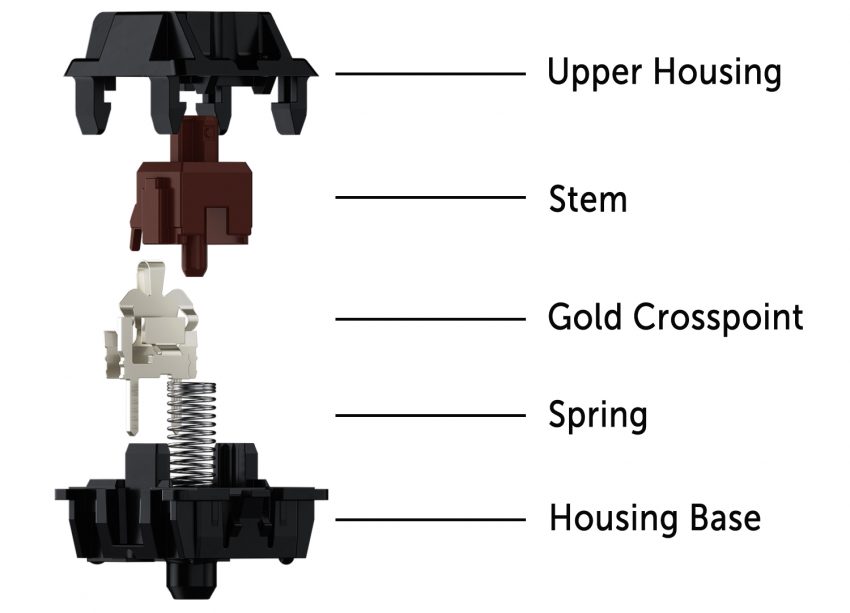
Standard mechanical switches have two metal leaves. When you press a key, the stem moves down, allowing the leaves to touch and close a circuit that sends a signal to the keyboard's microcontroller.
The problem with metal contact
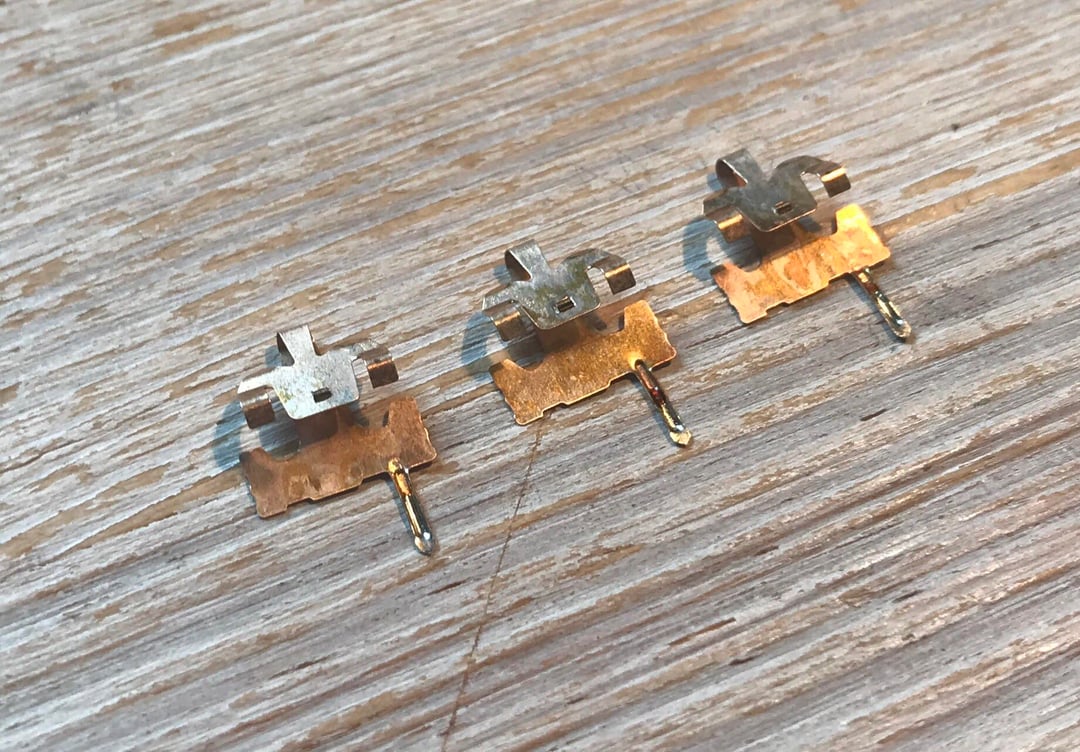
Because mechanical switches rely on physical contact between internal components, they can degrade over time. Metal leaves are susceptible to oxidation and corrosion after prolonged use.
Why contactless switches matter
Contactless switches don't register input through metal leaf contact. Manufacturers claim they last longer and resist oxidation and corrosion, though newer standard mechanical switches like Cherry MX2A-series switches rated for one hundred million keystrokes can match their lifespans.
The smoothness question
Some users claim contactless switches feel smoother because no metallic leaves touch. But springs and stems create friction too. Premium standard switches, especially properly lubricated ones, can feel equally smooth.
Customizable actuation points
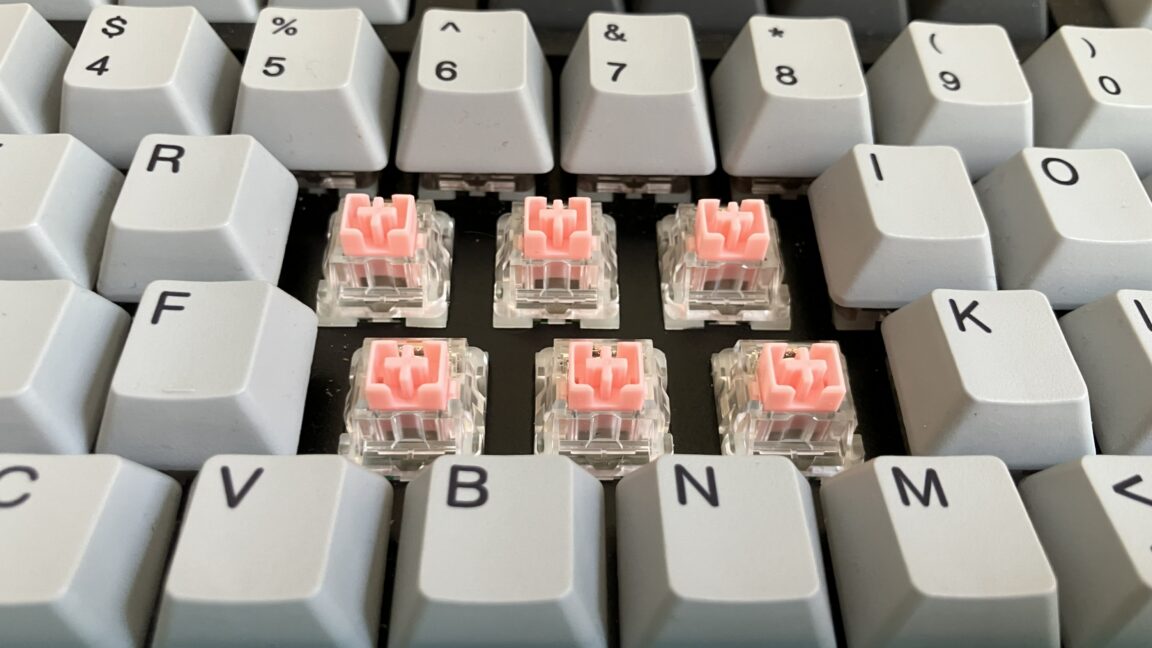
Many contactless switches let you adjust when they register input, a feature impossible with traditional mechanical switches. But review website RTINGs found that on each keyboard tested, keys actuated at different distances than the companion app showed.
Analog input and dual inputs
Some contactless keyboards support analog input, letting the keyboard detect how far a switch has been pressed and adjust input accordingly, giving gamers a joystick-like experience. Others let one full press result in two inputs.
The debouncing advantage
Contactless switches don't require debouncing, the delay needed for mechanical switches to prevent metal leaf bounces from registering as multiple inputs. Keyboard enthusiasts often point to five to twenty milliseconds as common debounce delays.
Latency depends on more than sensing
Keyboard latency depends on travel time, actuation time, and polling rate, not just sensing technology. A Bluetooth keyboard with optical switches and a one hundred thirty-three hertz polling rate will have more latency than a wired mechanical keyboard with an eight thousand hertz polling rate.
Optical switches use light beams
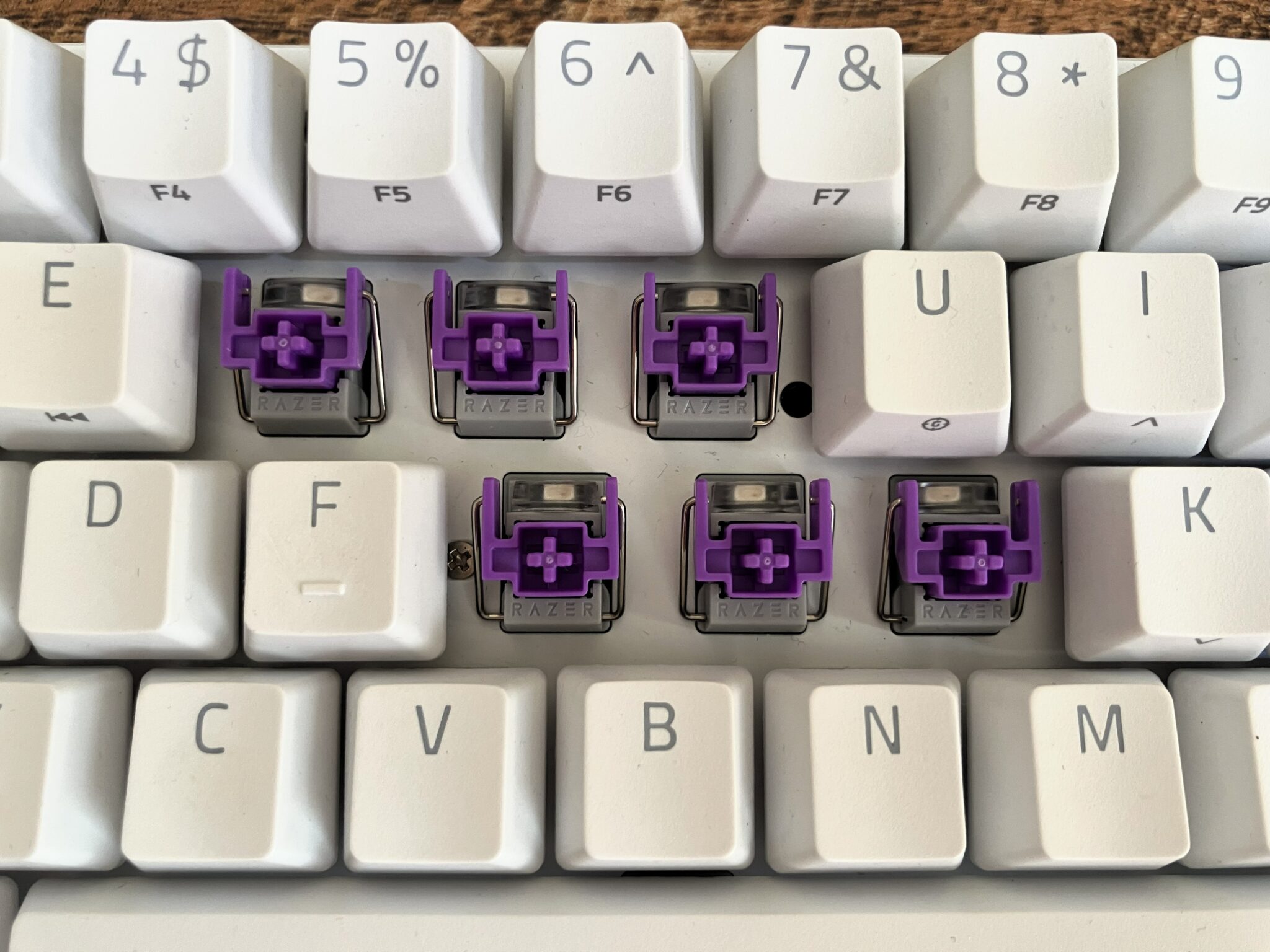
Optical switches, which first hit consumer keyboards in two thousand sixteen, use an infrared light beam that is redirected when the switch is depressed. This causes the beam to hit or stop hitting a photoelectric sensor, registering an input.
Optical switches lack hot-swappability
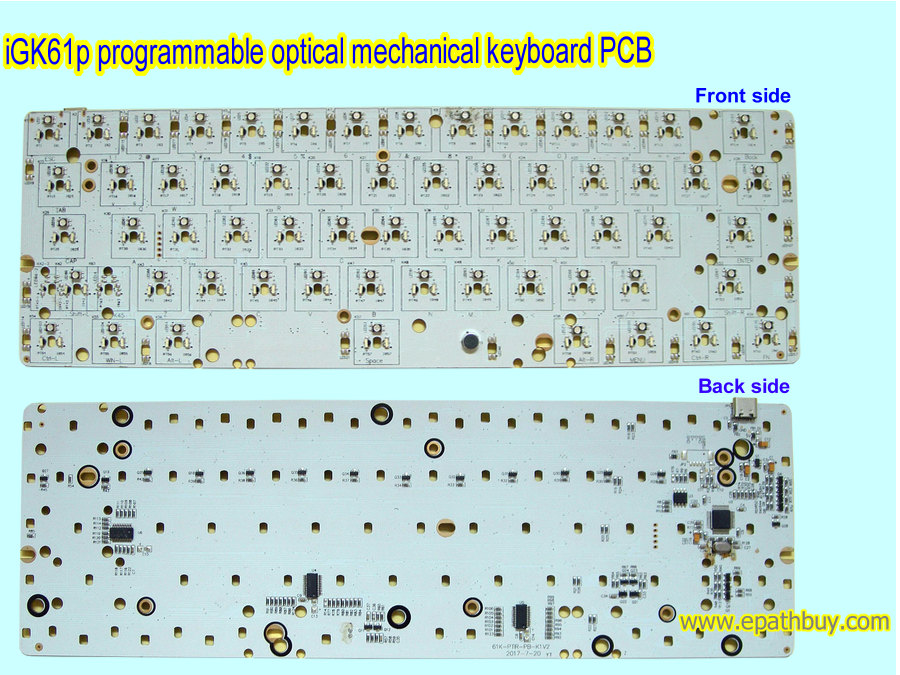
Hot-swappable prebuilt optical keyboards are rare. You cannot install optical switches in a hot-swappable keyboard made for traditional mechanical switches because the design requires precise alignment that fixed assembly provides.
Electrostatic capacitive switches
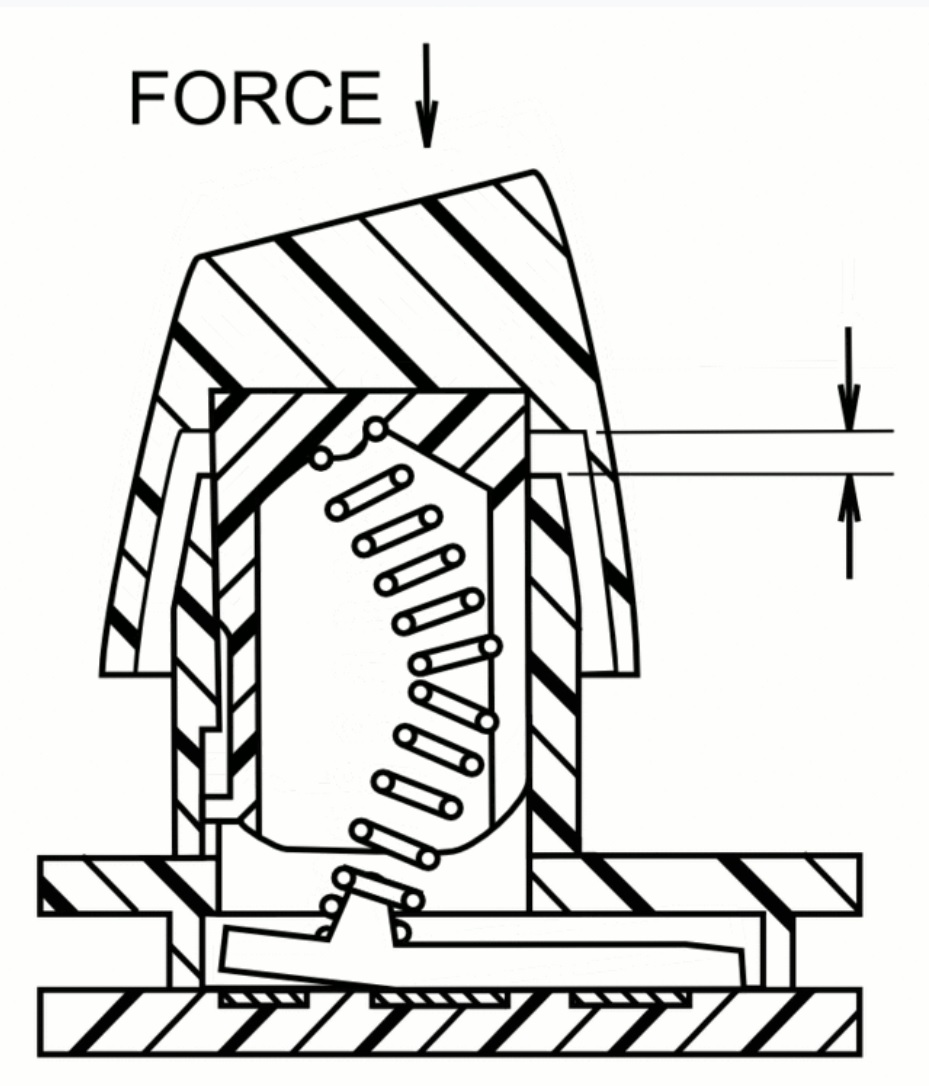
Electrostatic capacitive switches sense input through capacitance changes rather than physical contact. IBM's Model F used capacitive technology with buckling spring switches. Today's EC keyboards from Varmilo, NiZ, and Topre use similar principles with varying designs.
Topre switches feel different
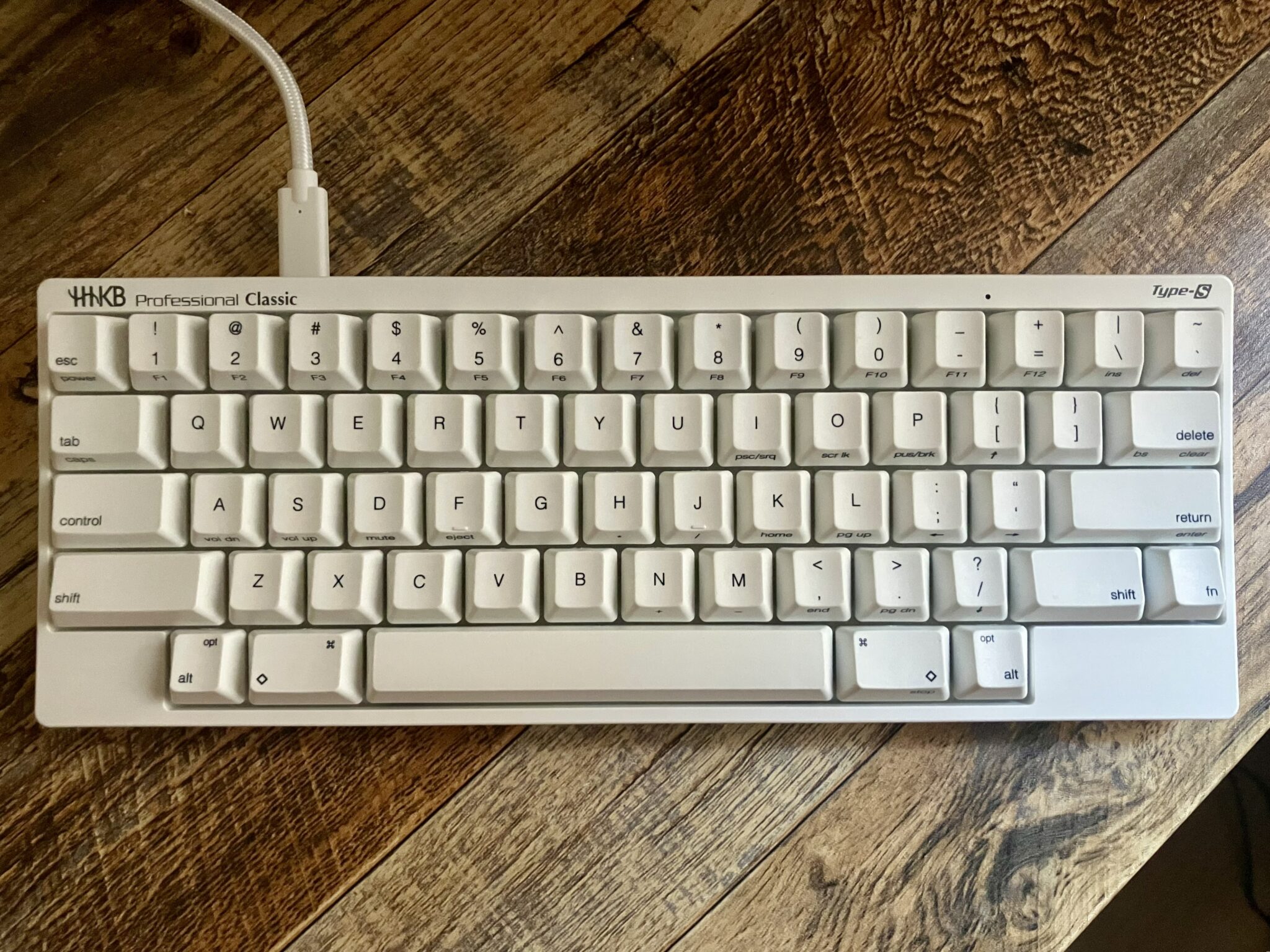
Topre switches are among the most expensive EC switches and are lauded for their thocky sound. Unlike other mechanical keyboards, Topre switches work like rubber-dome keyboards, with resistance coming from the rubber dome rather than a spring.
Hall-effect switches use magnets
Hall-effect switches contain a magnet inside the stem. Pressing the switch moves the magnet closer to a Hall-effect sensor on the keyboard's PCB, changing the voltage produced across the sensor's semiconductor element and registering input.
Hall-effect keyboards need compatible parts
Hall-effect switches come in three-pin or five-pin varieties, and magnet polarity must match the PCB's sensors. Switches also have magnetic flux ranges measured in Gauss. Incompatible switches and PCBs can cause depressing a switch to fail to trigger the sensor.
TMR sensors are newer and stronger
Tunnel magnetoresistance keyboards became available in two thousand twenty-four. TMR sensors use two ferromagnetic layers separated by an insulating barrier. When a magnet moves near the sensor, it changes the alignment of the layers, altering electrical resistance and registering input.
TMR beats Hall-effect on power and sensitivity
TMR sensors consume less power than Hall-effect sensors, potentially extending battery life. TMR keyboards can have higher peak sensitivity, allowing actuation points in zero point zero one millimetre increments instead of the more common zero point one millimetre.
TMR keyboards cost more and are rare
TMR keyboards have higher wafer and packaging costs than Hall-effect keyboards and have been around for less time. TMR switches, PCBs, and barebones kits are difficult to find, making TMR keyboard building trickier than building other contactless keyboards.
Inductive switches are the newest option
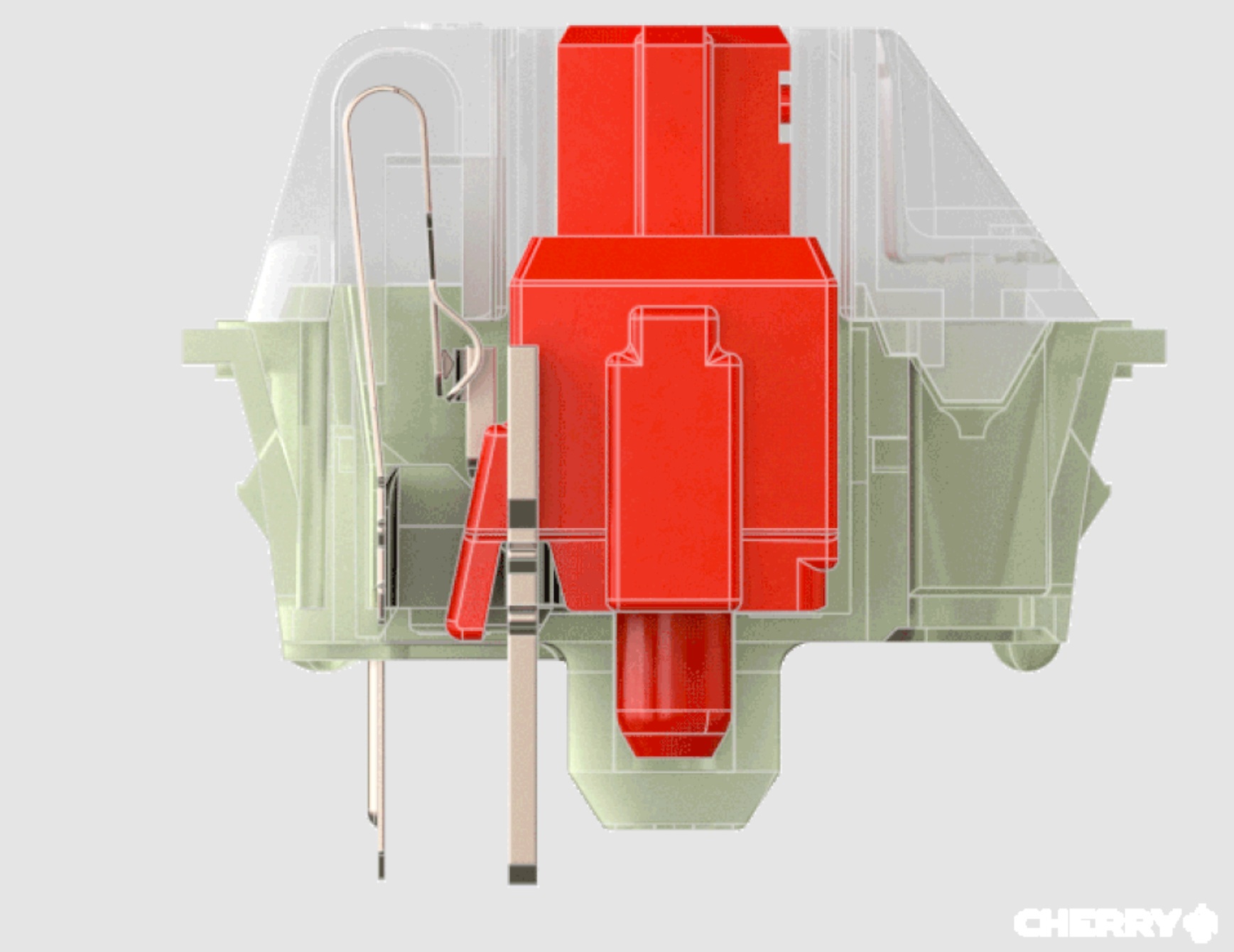
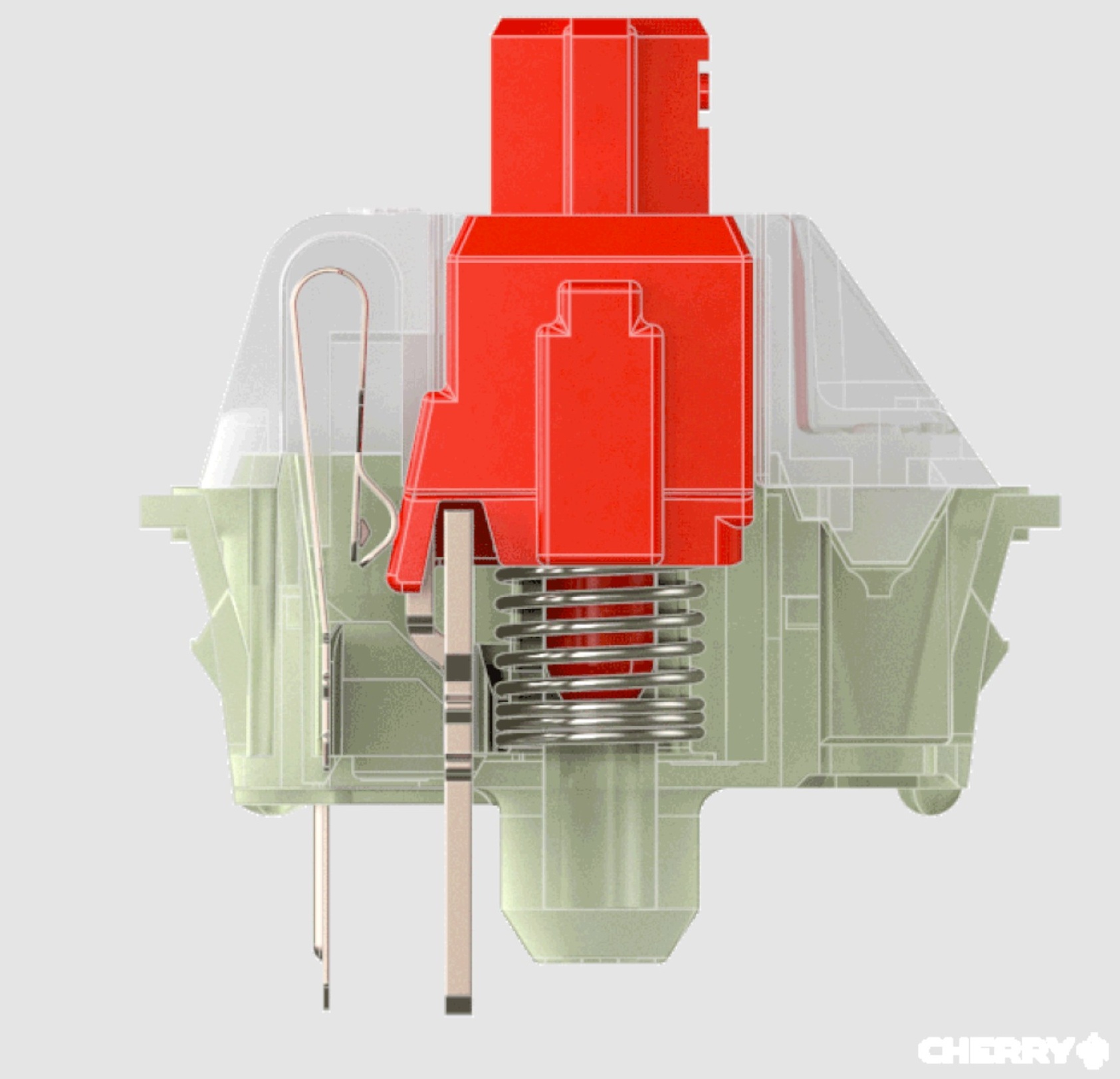
The first inductive-switch consumer keyboards released last year. Ducky and Epomaker marketed them to gamers. Each switch has a conductive metal actuator that enters an electromagnetic field created by coils on the PCB, creating eddy currents that register input.
Inductive switches have limited availability
Only Cherry, Kailh, and Unionwell currently make inductive switches. Only Kailh sells switches individually, so most inductive switches are available only through prebuilt keyboards. DIY options are even rarer than for other contactless switch types.
The takeaway
Keyboards with optical, Hall-effect, and other contactless switches have become common and expensive, but their real-world advantages over traditional mechanical switches are often subtle and depend on what you actually need.