From Dexerto · Callum Doyle · · 50s
GTA 6 players fix graphics downgrade with PS5 settings trick
GTA 6 players use a simple PS5 setting change to restore graphics after patch downgrade.
In brief
GTA 6 players use a simple PS5 setting change to restore graphics after patch downgrade. GTA 6 players on PS5 fix graphics issues from the first patch by switching to 1080p resolution and turning off HDR. Originally reported by Dexerto.
GTA 6 graphics downgrade after first patch

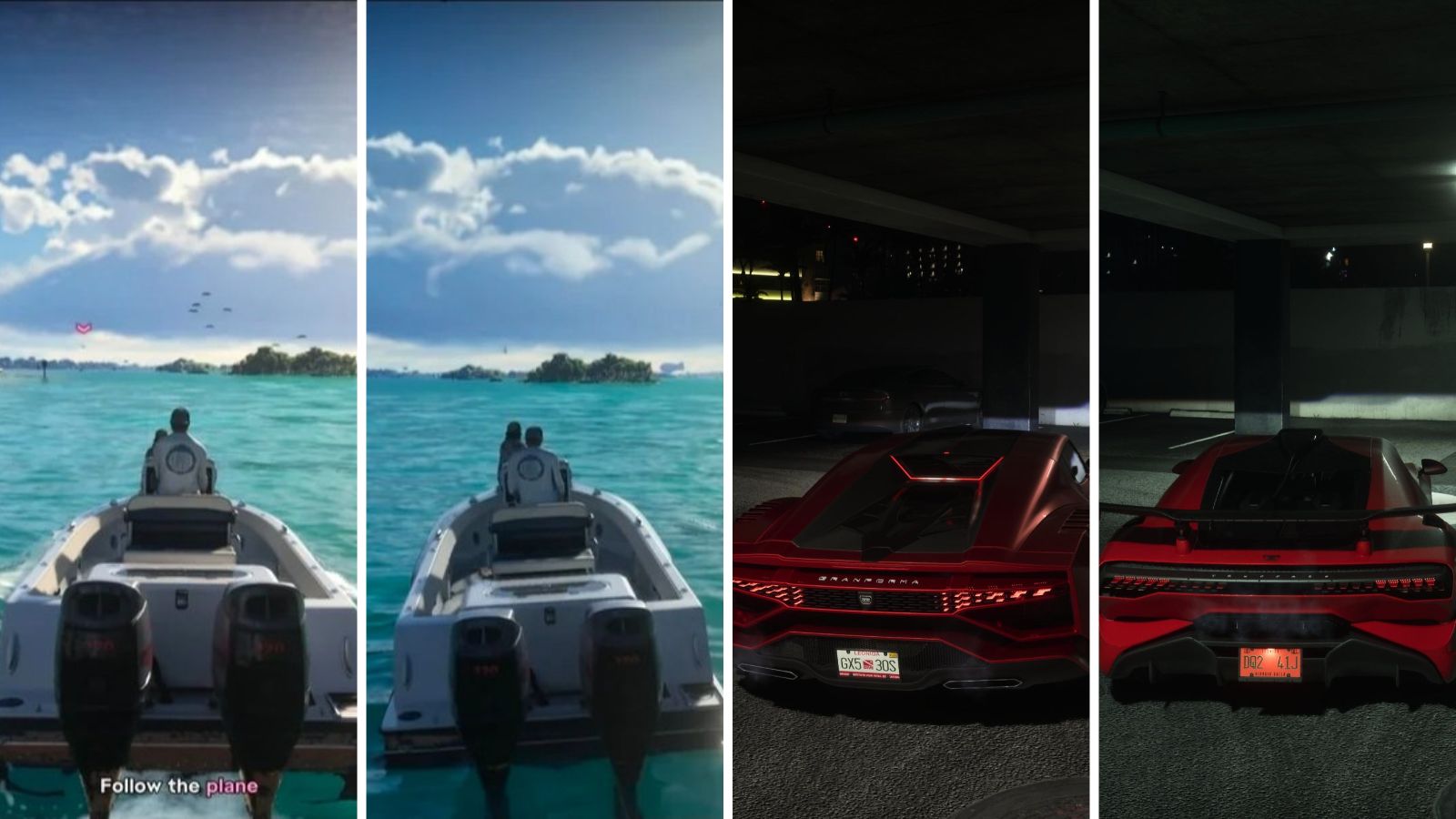
GTA 6 players report graphics downgrade on PS5 Pro after Rockstar's first patch.
“Rockstar has downgraded the graphics on the PS5 Pro. We need to finally accept this as a fact!”
Players describe graphics issues
Players say lighting, textures, and hair look different with clouds appearing low-resolution and rain effects washed out.
“lighting, textures, and hair look completely different”
PS5 settings trick to fix graphics
Close game, turn off HDR, set resolution to 1080p, restart console, then switch HDR back on.
“You’re not tripping!”
Players report trick works
Several players confirm the trick restores graphics quality on PS5 and Xbox Series X.
“The game looks exactly like it did at launch again”
What matters most
GTA 6 players on PS5 fix graphics issues from the first patch by switching to 1080p resolution and turning off HDR.
Read the TL;DR — this story on one card.