From Engadget · Filipe Espósito · · 1m 50s
Do Not Disturb vs Focus on iPhone
Your iPhone has three different ways to shut notifications up, and they are not the same thing.
In brief
Your iPhone has three different ways to shut notifications up, and they are not the same thing. Do Not Disturb is just one Focus mode, so you can customize it to let your family through while everything else stays quiet. Originally reported by Engadget.
Three ways to go quiet
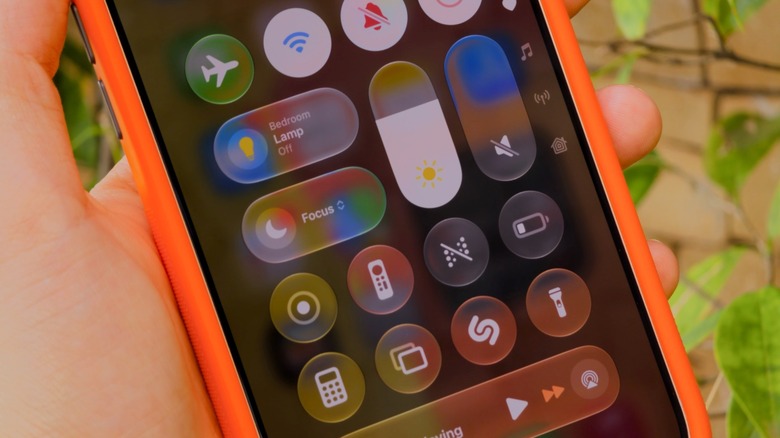
Silent mode still shows notifications, it just kills the sound. Do Not Disturb stops them from appearing at all. Focus modes are the customizable version of that.
“Focus modes are like Do Not Disturb on steroids”
Do Not Disturb is old
It arrived with iOS 6 and does one thing: silences everything. No banners, no calls, no alerts. Great for total quiet, bad when you still want your family to reach you.
Why Focus exists
Apple added Focus in iOS 15 because all-or-nothing was too blunt. It lets you decide exactly which apps and people get through for a given situation.
Find it in Control Center
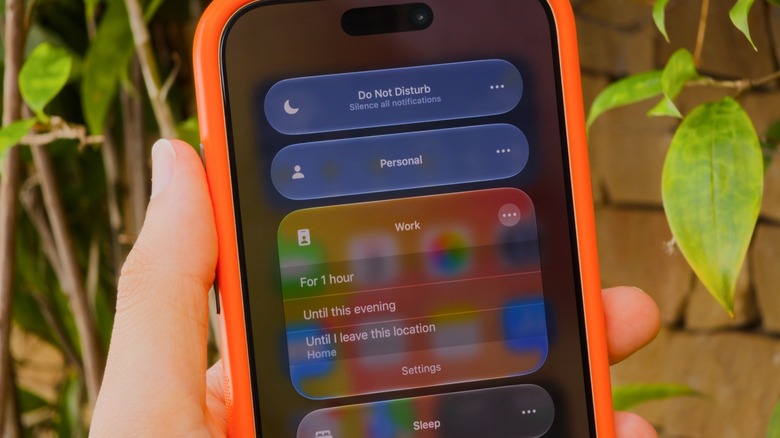
Swipe down from the top-right corner, or up from the bottom on a Home button iPhone. Tap Focus to see Do Not Disturb, Personal, Work and Sleep. Three dots, then Settings, to tweak one.
Pick your people and apps
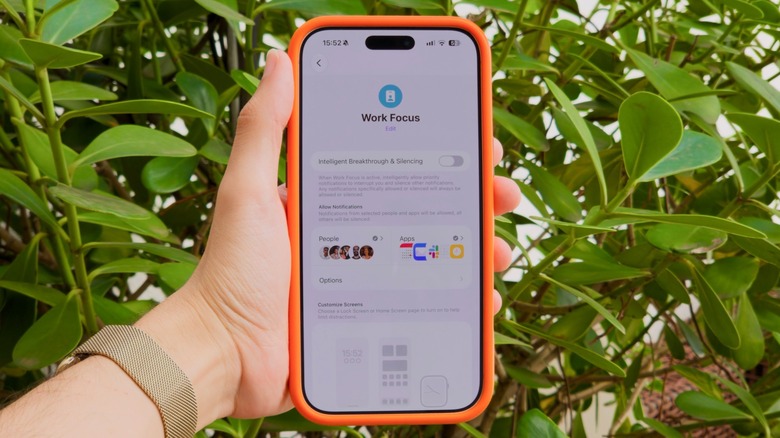
Inside a Focus, tap People or Apps and choose who gets to interrupt. A Work Focus might allow only Slack and Mail. Turn on Time Sensitive Notifications so alarms and calendar alerts still land.
Let it turn itself on
Sleep Focus fires on the schedule in your Health app. Driving kicks in when your iPhone connects to CarPlay. With Apple Intelligence, Reduce Interruptions uses AI to judge what matters.
Customize Do Not Disturb too
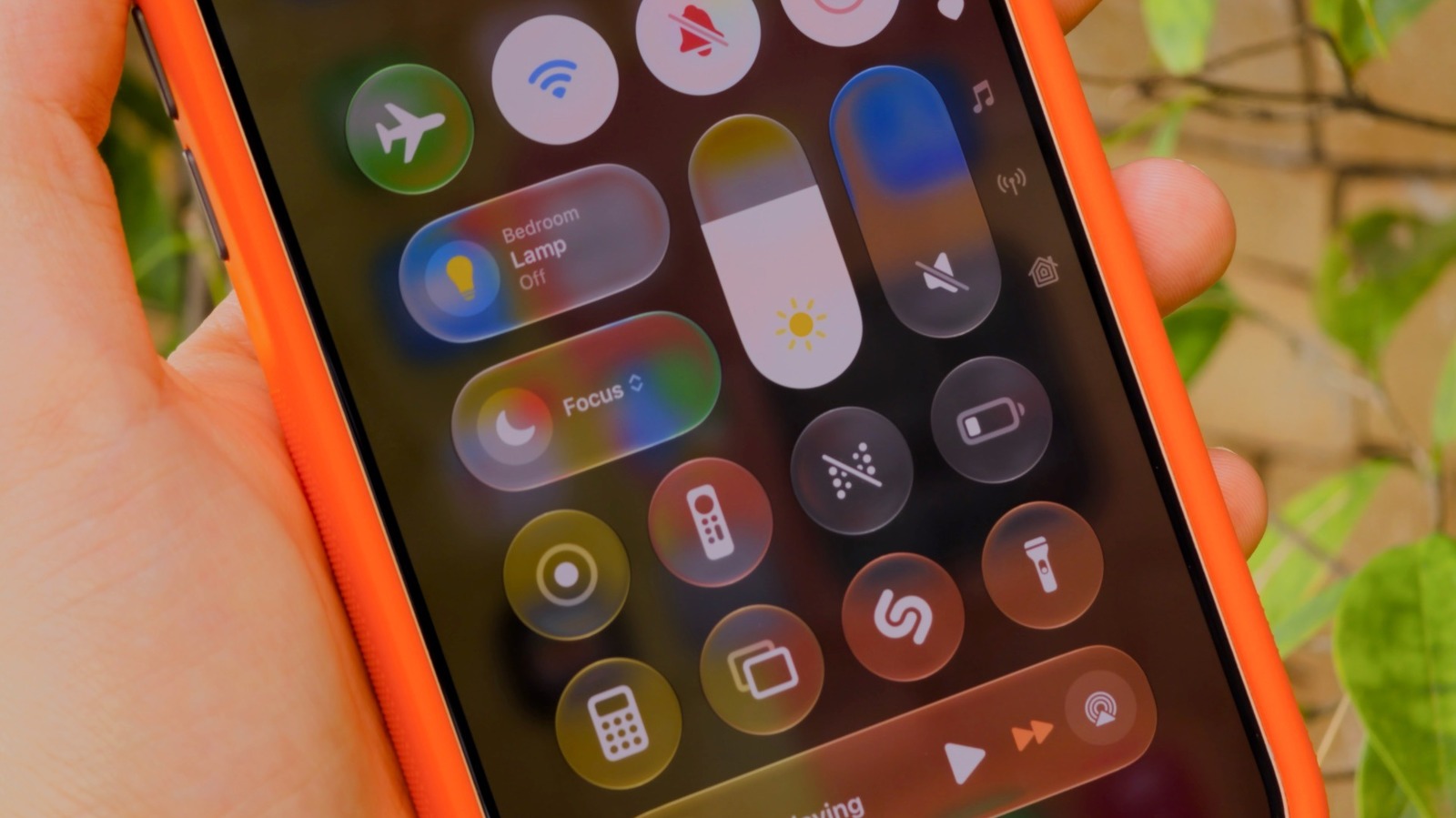
Do Not Disturb is itself a Focus, so you can allow your spouse through. Nothing gets lost either way: messages still arrive, you just do not get pinged until you switch the Focus off.
“Do Not Disturb is its own Focus, meaning it's customizable like the rest”
The key point
Do Not Disturb is just one Focus mode, so you can customize it to let your family through while everything else stays quiet.





