From Engadget · Husain Parvez · · 1m 40s
HDMI-CEC on Samsung TVs, explained
One setting decides whether your TV, console and soundbar act like one system or four stubborn strangers.
In brief
One setting decides whether your TV, console and soundbar act like one system or four stubborn strangers. Leave Anynet+ on unless a specific device keeps misbehaving, and remember eARC dies without it. Originally reported by Engadget.
One setting, less smart TV
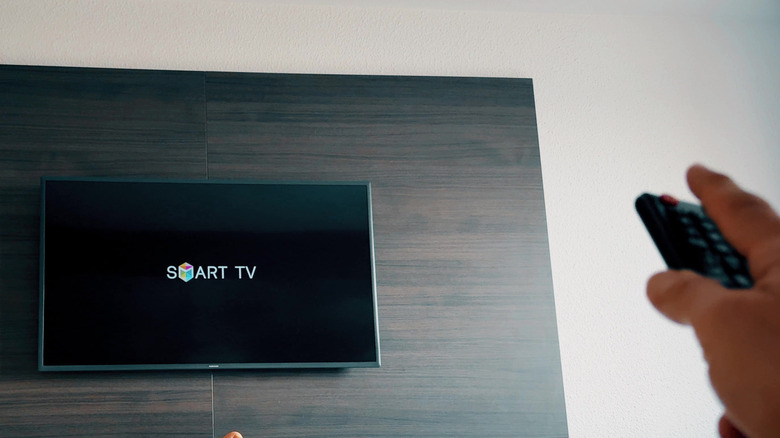
Switch off Anynet+ and your console stops waking the TV, the soundbar ignores your remote, and every input change becomes a remote hunt.
“Disable just one setting on your Samsung TV, and it can suddenly feel a lot less smart.”
What CEC actually does

HDMI-CEC sends control signals down the same cable as your picture and sound. Your Samsung remote drives the soundbar, and a streaming box can power the TV and jump to its input.
“HDMI still carries audio and video; CEC is just one feature that operates over it.”
You probably already have it
Most Samsung smart TVs built after 2008 support Anynet+, and newer sets ship with it on. It is also easy to switch off by accident while poking around Settings.
Where to find Anynet+
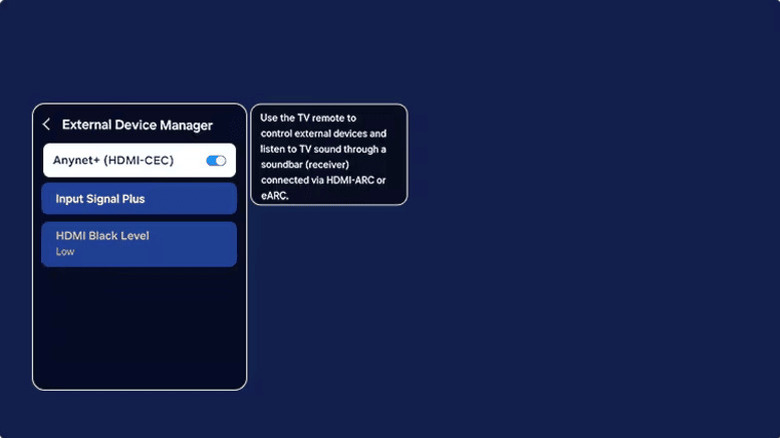
Press Home, then Settings > All Settings > Connection > External Device Manager. No Connection menu? Try Settings > General > External Device Manager. Samsung has moved it across models.
The other end must agree
The connected device needs CEC enabled too, under whatever name its maker chose. LG calls it SIMPLINK, Sony uses BRAVIA Sync, and PS5 hides it as Enable HDMI Device Link.
“manufacturers couldn't agree on what to call this "standardized" feature”
Give the handshake time
The device has to be on or in standby, and Samsung says the first handshake can take up to two minutes. After that, remote control and automatic input switching should just work.
When to turn it off
Rogue CEC commands cause phantom power-ons and input jumps, and a stray sleep signal can kill a ranked match. But eARC needs Anynet+, so killing CEC trades a video annoyance for an audio one.
“HDMI eARC can only work if Anynet+ is enabled”
What it means
Leave Anynet+ on unless a specific device keeps misbehaving, and remember eARC dies without it.





