From Engadget · Ben Stegner · · 2m
How to make Spotify actually sound good
Most people leave Spotify on default settings and then blame the app for flat sound.
In brief
Most people leave Spotify on default settings and then blame the app for flat sound. The right quality setting depends on your gear and your surroundings, not on picking the biggest number. Originally reported by Engadget.
Your settings, not your service

People blame streaming for weak sound while the app sits on defaults. Speakers and headphones matter, but the options inside Spotify and on your phone matter too.
“A few tweaks here and there can make all the difference.”
Start with the quality selector
On mobile, tap your profile picture, open Settings and privacy, then Media Quality. On desktop it's the three-dot menu, Edit, Preferences, then the Audio quality section.
Skip the web player
Mobile lets you set quality separately for Wi-Fi and cellular. Desktop gives you one selector. The web player gives you none, so use the desktop app when quality matters.
“You can't change the quality in Spotify's web player”
Five tiers, two are Premium
Everyone gets Low, Normal and High. Premium adds Very high and Lossless. Automatic follows your signal, so turn off Auto-adjust if you want it to stay put.
Download at high quality
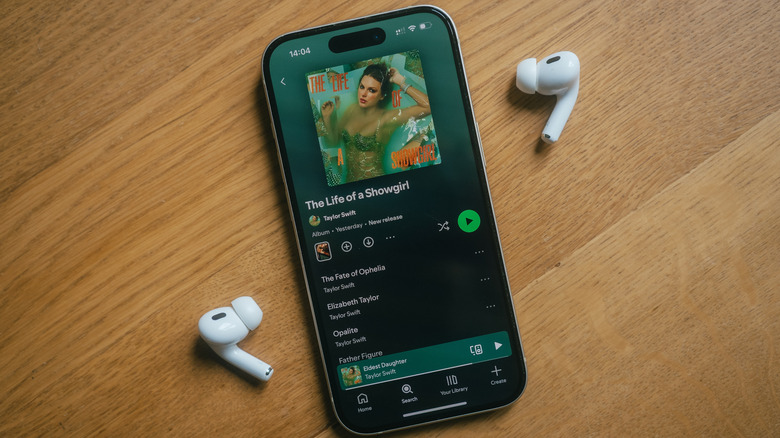
A separate Download quality setting covers offline files, with a Download button to re-fetch old tracks at the new setting. Tight on data but roomy on storage? Grab everything at Very high.
Bluetooth kills lossless

Lossless is CD quality with nothing thrown away, and Bluetooth cannot carry it. On a phone you need wired headphones, ideally USB-C with a decent DAC.
“Bluetooth can't carry true lossless signals”
Wi-Fi speakers and TVs work
Spotify Connect over Wi-Fi supports lossless because it isn't squeezed like Bluetooth. Tap your device in the Connect list to see the current quality and change it.
Cheap gear hides the difference

Ten dollar earbuds cannot resolve the gap between good lossy and lossless. Road noise does the same thing, so CarPlay lossless is wasted on stock car speakers.
“your environment matters, too”
The settings people forget
Under Playback, try the Equalizer but avoid stacking phone, app and headphone EQ. Test Volume normalization both ways, keep Mono off, and watch Crossfade clipping song endings.
Turn off Data saver
Data saver quietly drops quality off Wi-Fi. Switch it off in Data-saving and offline, then match your setting to the moment: lossless in a quiet room, lower on a loud street.
“everyone's hearing is different”
The big picture
The right quality setting depends on your gear and your surroundings, not on picking the biggest number.





