From Engadget · Thomas Godwin · · 1m 50s
Is Safari really keeping your iPhone safe?
Safari blocks trackers by default, but privacy features have real limits.
In brief
Safari blocks trackers by default, but privacy features have real limits. Safari's built-in protections reduce data collection compared to other browsers, but no browser can shield you from phishing or websites you actively trust with your data. Originally reported by Engadget.
Safari's privacy toolkit
Safari blocks third-party cookies by default, uses machine learning to limit cross-site tracking, hides your IP from known trackers and strips identifying info from URLs.
“the browser blocks third-party cookies by default, uses machine learning to limit cross-site tracking, hides your IP address from known trackers and removes identifying info from certain URLs”
Why tracking matters
Advertisers and data brokers track you across unrelated sites, searches and purchases to build profiles. Safari cuts off most of these data collectors and makes it harder to build tracking infrastructure.
What Safari can't do
Safari isn't a VPN. Websites still see your general location and info needed to load pages. Private Browsing doesn't hide activity from your ISP or sites you're logged into.
“"private" doesn't place Safari on the same pedestal as a quality VPN”
Passkeys beat passwords
Safari supports passkeys that use Face ID or Touch ID instead of passwords. They're phishing-resistant because they only work on the real website, not fake lookalike pages.
“Passkeys are phishing-resistant by design because creating one is tied to a certain website; they won't work on a fake lookalike page”
Safari vs Chrome and Brave
Apple forces all iPhone browsers to use Safari's WebKit engine, so Chrome and Brave can't use their desktop engines. Brave offers stronger ad blocking and a privacy-focused search engine.
Safari's real advantage
Safari's privacy protections are built-in and enabled by default. Chrome has similar features but requires you to turn them on. Most iPhone users benefit from Safari's automatic privacy without changing settings.
“One of Safari's advantages is that its protections are built-in and enabled by default”
The limits of any browser
No browser can verify every page is legitimate or stop you from entering credentials on a convincing phishing site. Safari can't protect you from what you decide to trust.
“Safari can't protect you from what you decide to trust”
The bottom line
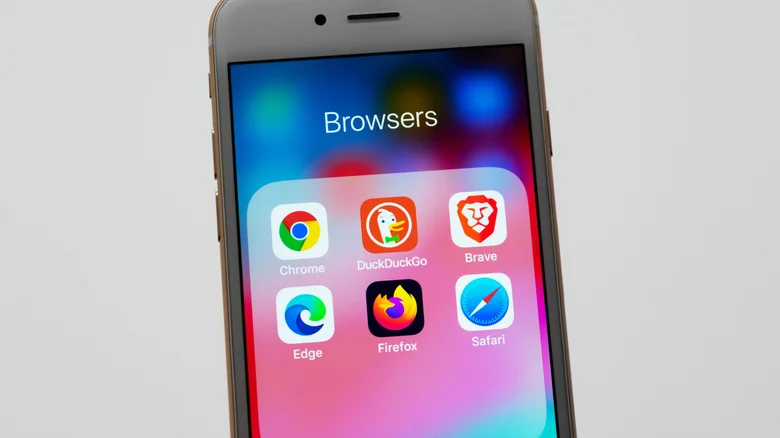
Safari is solid for most iPhone owners. If you want more control, add content blockers or switch to Brave. No matter which browser you use, never assume it protects against every scam.
“never assume it will protect against every scam or questionable decision”
The bottom line
Safari's built-in protections reduce data collection compared to other browsers, but no browser can shield you from phishing or websites you actively trust with your data.