From Engadget · Deven McClure · · 2m
What Netgear router lights mean and which matter most
Your Netgear router's lights tell you about power, internet connection and Wi-Fi status. Here's how to read them.
In brief
Your Netgear router's lights tell you about power, internet connection and Wi-Fi status. Here's how to read them. Netgear router lights indicate device status through color and blinking patterns. Power, internet and Wi-Fi LEDs are most important for troubleshooting. Originally reported by Engadget.
Why router lights matter

Netgear routers display many lights and symbols on their front. Understanding what each light means helps you troubleshoot problems and confirm everything is working properly.
The power LED explained
The power symbol light shows your router's firmware status and power state. Solid green or white means the router is on and ready. Solid amber means it is turning on.
Power LED warning signs
Blinking amber means the router's firmware is upgrading or you pressed the reset button. Blinking white indicates corrupted firmware. Blinking white and amber means access point mode is active.
Internet LED status
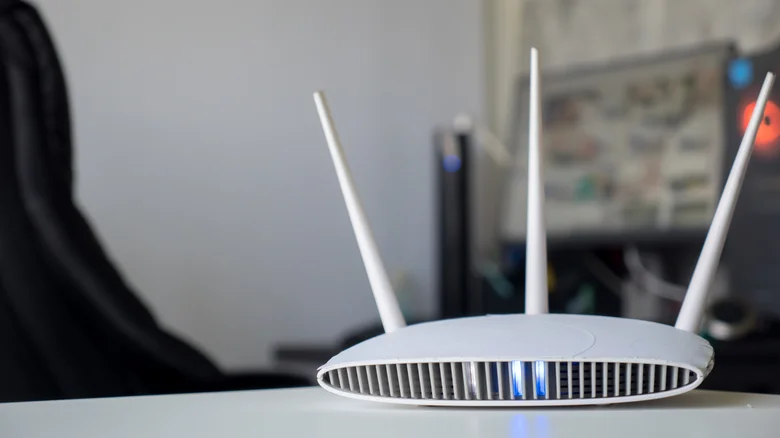
The internet LED shows your connection status. Off means the router is not connected to a modem. Solid green or white means the internet connection is ready. Blinking white shows traffic.
Wi-Fi LED and band lights
The Wi-Fi LED shows general Wi-Fi traffic. Off means Wi-Fi radios are off. Solid white means they are operating. Modern routers have separate lights for two point four gigahertz and five gigahertz bands.
USB, Ethernet and WPS lights
USB LEDs show device connection status.Ethernet LEDs are numbered for each port and show connection speed: white or green for one gigabit per second, amber for slower speeds.WPS LED indicates Wi-Fi Protected Setup connection success.
Netgear Orbi mesh system lights

Orbi mesh systems use minimalist lighting. The front LED shows connection strength between router and satellite: solid blue is strong, solid amber is okay, solid magenta means no backhaul or internet connection.
Orbi back LED status
The back LED on Orbi devices shows power and firmware status. Solid green means powered on. Solid amber means rebooting. Pulsing amber means firmware updating or factory reset. Pulsing red indicates possible hardware issues.
At a glance
Netgear router lights indicate device status through color and blinking patterns. Power, internet and Wi-Fi LEDs are most important for troubleshooting.