From Engadget · Roger Fingas · · 1m 50s
Why your PS5 games have padlocks on them
A padlock icon means you've lost access to a game. Here's what causes it and how to fix it.
In brief
A padlock icon means you've lost access to a game. Here's what causes it and how to fix it. PS5 games show padlock icons when licensing issues block access. You don't own digital games, only a license to play them, and Sony can revoke access if the license is withdrawn or authentication fails. Originally reported by…
Sony's shift to digital only
Sony plans to stop making disc-based games beginning in January two thousand twenty-eight, making digital games critical to the platform's future.
What the padlock means

A padlock icon over a game thumbnail on your PS5 means you cannot access that title. This happens when Sony withdraws a license or authentication fails.
You don't own your games
When you buy a game from an online store, you get a license to download and play it, not permanent ownership. Sony has final control over your access.
Check your account and network
First, verify you are signed into the correct PlayStation account. Then confirm PlayStation Network is online using the PlayStation Status page.
Verify your subscriptions

Check your PlayStation Plus subscription status and whether the game is currently in the library. Titles are added and removed regularly, causing padlocks on previously downloaded games.
Restore your licenses
Go to the game in your library, press Options, then select Restore License. You can also restore multiple games at once through Settings.
Try Safe Mode as last resort
If padlocks persist, restart your PS5 and install system updates. In extreme cases, boot into Safe Mode and select Clear Cache and Rebuild Database.
Contact PlayStation Support
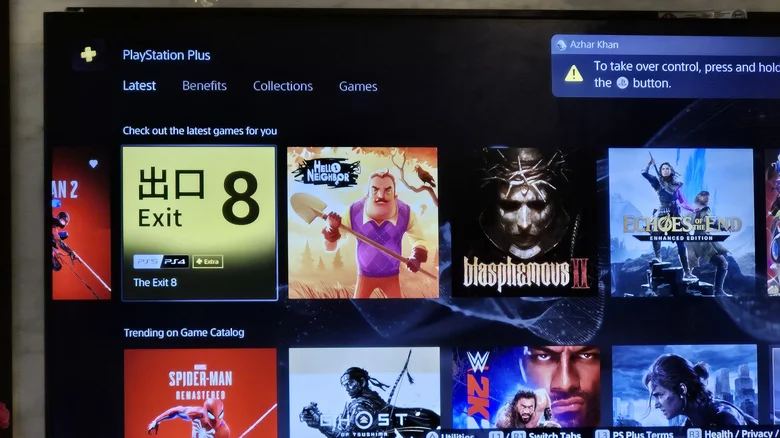
If none of these steps work, contact PlayStation Support for help resolving the licensing issue with your games.
What to remember
PS5 games show padlock icons when licensing issues block access. You don't own digital games, only a license to play them, and Sony can revoke access if the license is withdrawn or authentication fails.