From Modelrift · · 5m
OpenSCAD vs CadQuery, judged by an AI agent
Six agents, three parts, two CAD languages, and every mesh checked by a parser that trusted neither tool.
In brief
Six agents, three parts, two CAD languages, and every mesh checked by a parser that trusted neither tool. Both tools can produce printable parts unattended. What separates them is whether the agent can measure what it built, and screenshots never caught a defect that mattered. Originally reported by Modelrift.
Re-testing the house bet
ModelRift generates OpenSCAD for every model it makes. To check that choice, the team ran a controlled bake-off against CadQuery, a Python library on the OpenCascade B-rep kernel.
One narrow question
Which tool can an AI agent drive to a correct, printable, functional part with nobody watching? How pleasant each is to write by hand was ruled out of scope.
“How pleasant each is to write by hand did not come into it.”
Six agents, three tasks
Two tools, three parts, one fresh subagent per cell with no cross-talk. All six runs used Claude Opus 5 through Claude Code, capped at 12 versions each and told never to fake success.
Fair fight on skills
The OpenSCAD side used ModelRift's published openscad-skill. That file was ported to CadQuery operation by operation, with matching print design rules, so neither side got advice the other lacked.
Nobody's word taken
Every final STL went through an independent parser reporting triangle count, volume, watertightness, non-manifold and boundary edges, flipped faces and connected components.
“We did not take the agents' word for anything.”
The three parts
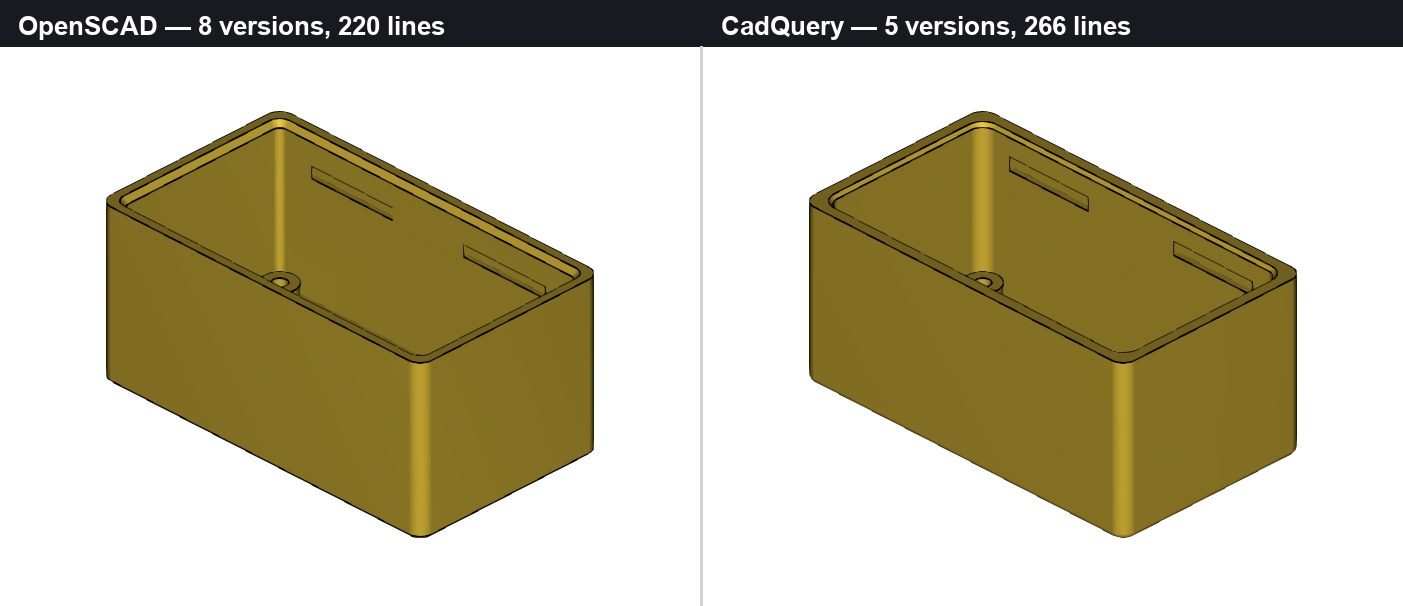
T1 was a wall shelf L-bracket with gussets and countersinks. T2 a snap-fit enclosure for a 50 x 26 PCB that had to actually close. T3 an M24x2 threaded hose-barb adapter with a real helix.
All six printed fine
Every part came out watertight, one connected component, zero non-manifold edges, sitting on z = 0. Capability was the boring part of the answer.
“Where the two diverge is in how they fail.”
Identical iteration counts
Eleven versions each across the three tasks. OpenSCAD used 473 lines to CadQuery's 573, and burned 297k agent tokens against 347k. The effort looked the same from a distance.
Rounding four corners
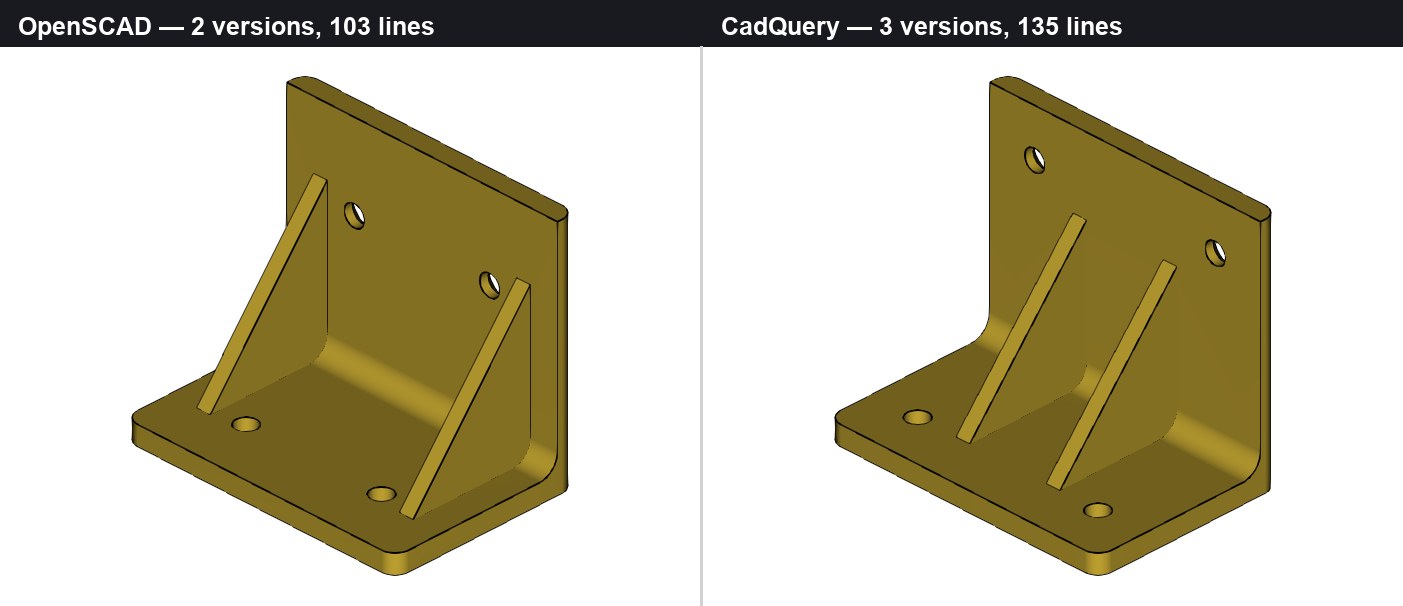
OpenSCAD rounds a 2D profile and extrudes, so it never cares how the solid was assembled. CadQuery must name the four edges first, and naming edges is the hard part.
A message that names nothing
CadQuery burned a third of the bracket run on .fillet(3.0) failing with BRep_API: command not done. The real cause was arithmetic: two R3 fillets do not fit in a 4 mm wall.
Echo versus assert
OpenSCAD printed cavity dimensions for a human to read. CadQuery asserted the box and lid intersection volume was near zero, so a bad fit stopped the build. Unattended, that gap is most of the story.
“An echo only helps if somebody reads it.”
Parameter chains pay off
On the enclosure, changing CadQuery's lip depth moved rim, plate, slots and groove together because each dimension was derived, not typed twice. OpenSCAD spent three of eight versions on boolean cleanup.
The thread upset
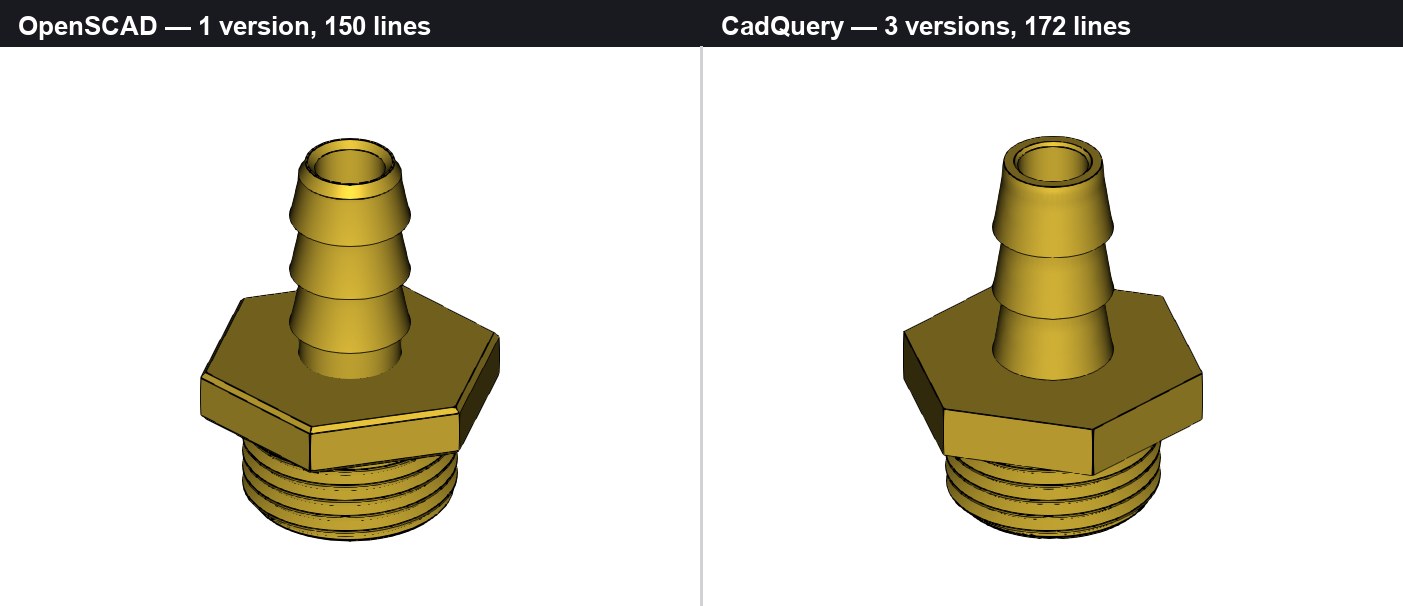
The task built for a B-rep kernel went to OpenSCAD outright. It compiled a correct helix on the first try, in one version, in 43 ms, with no library at all.
Hand-built helix math
With no sweep operation, the agent emitted a four-point ISO profile at 96 sections per turn as a single polyhedron, and sank the profile below the minor radius so the union never went bad.
“There are no guardrails in this code at all.”
A solid vanished silently
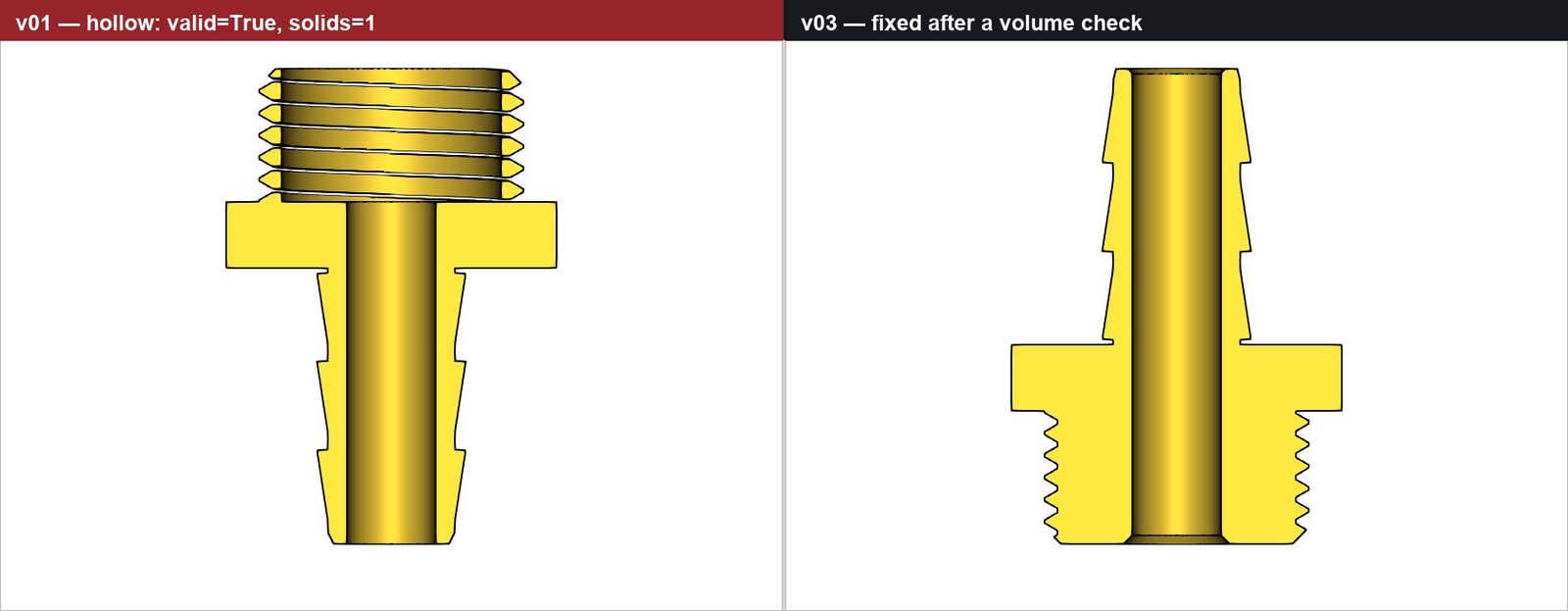
CadQuery's union dropped the core cylinder because the thread root sat exactly on the core radius. Four renders looked perfect. A volume reading caught it: 7065 mm³ where 10323 was expected.
Both tools lie about themselves
The broken CadQuery part reported valid=True with one solid, and a looser tolerance gave a solid of negative volume that also passed. OpenSCAD certified NoError on an STL with 4 non-manifold edges.
“Neither tool's self-report is the last word.”
Renders caught nothing
Across six runs images found only coarse blunders, like four mounting posts erased by a subtraction. Every print-ruining defect was caught by a number: volume, angle, interference, strain.
Mirror-image failures
CadQuery throws early with poor messages, but an exception stops the run. OpenSCAD passed roughly 45 silent invocations while producing deleted posts and a corrupted export it had just certified clean.
“Silent success is the more expensive failure.”
Ask the kernel, or parse the mesh
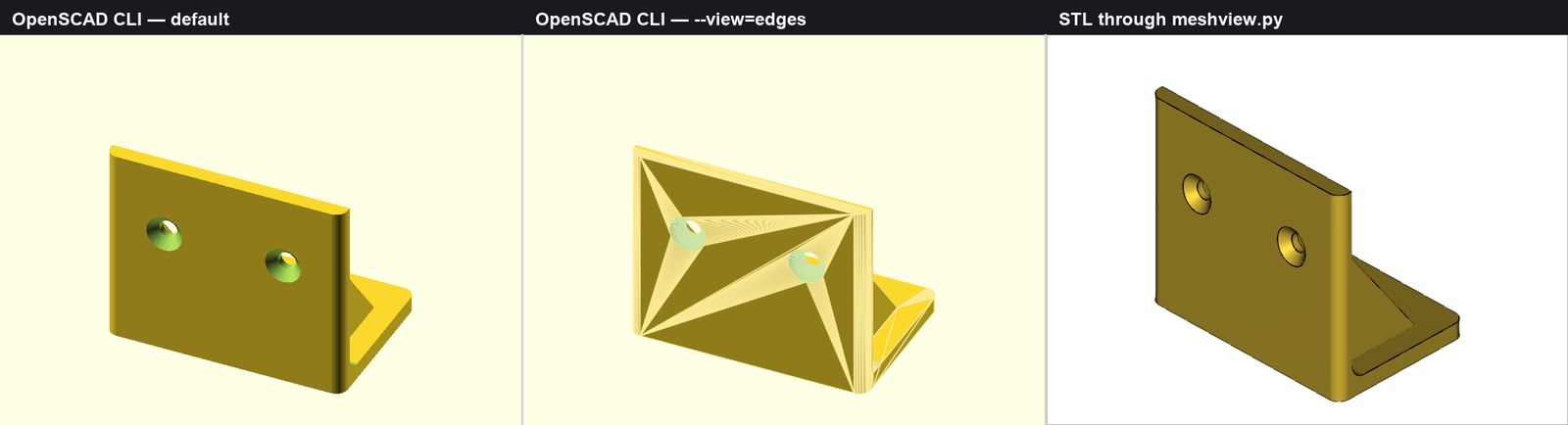
CadQuery's agent read a cone's half-angle off the B-rep and wired the spec into asserts. Both OpenSCAD agents instead wrote binary STL parsers, nearly as much code as the models, to see only the exported mesh.
Staying on OpenSCAD, with numbers
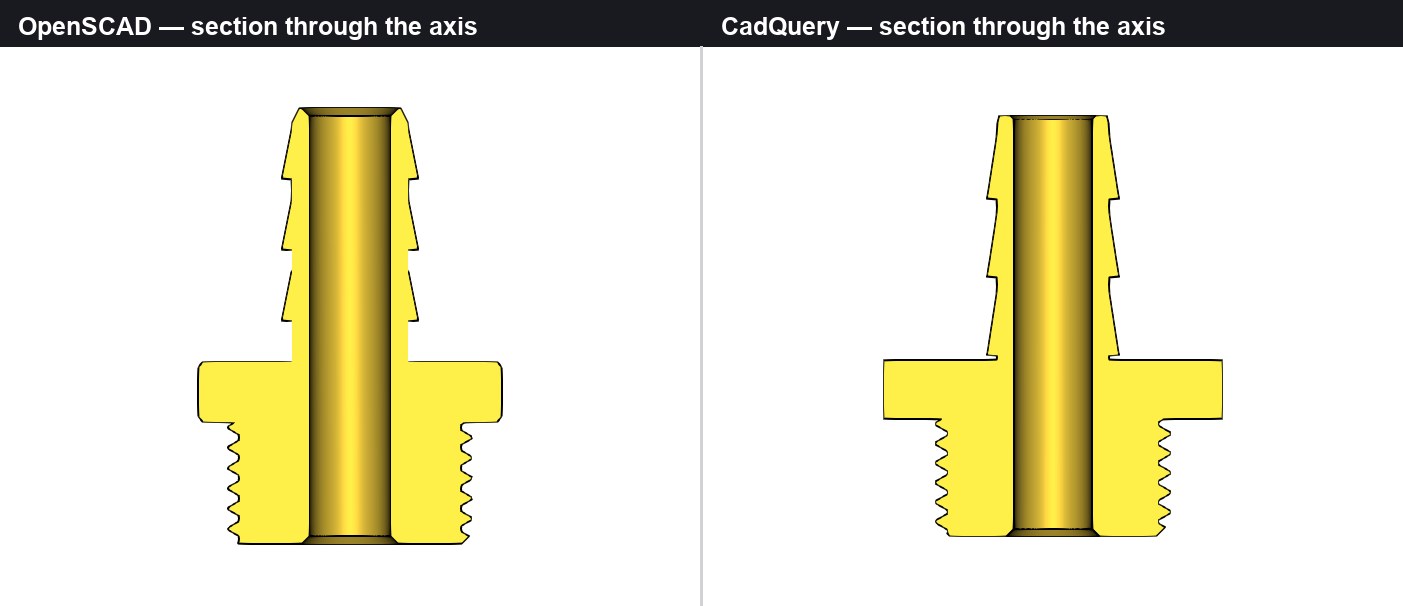
Speed, sandboxing and a compact text format still win for ModelRift, and verification can be bolted on. Two fixes ship now: a feature-edge renderer, and a numeric check pass before any model counts as done.
The key point
Both tools can produce printable parts unattended. What separates them is whether the agent can measure what it built, and screenshots never caught a defect that mattered.