From The Verge · Jennifer Pattison Tuohy · · 4m
Apple HomeView's audio: what it does well, what it doesn't
The smart display sounds decent and works as a music controller, but third-party apps like Spotify are hamstrung by CarPlay limitations.
In brief
The smart display sounds decent and works as a music controller, but third-party apps like Spotify are hamstrung by CarPlay limitations. Apple's HomeView is a capable music controller with decent sound for its size, but third-party audio apps suffer from CarPlay limitations that make them slower and less functional…
HomeView's sound compared to rivals

The tabletop HomeView is closer in size and sound to the HomePod Mini than to larger speakers. It has better bass and is slightly louder, but is less clear and less room-filling than the Mini.
No stereo pairing for HomeView

Two HomeViews cannot be paired for stereo sound, unlike HomePod Minis. You can group HomeViews with any other AirPlay speakers to play music from all at once, but not pair two for stereo.
HomeView's real strength as music controller

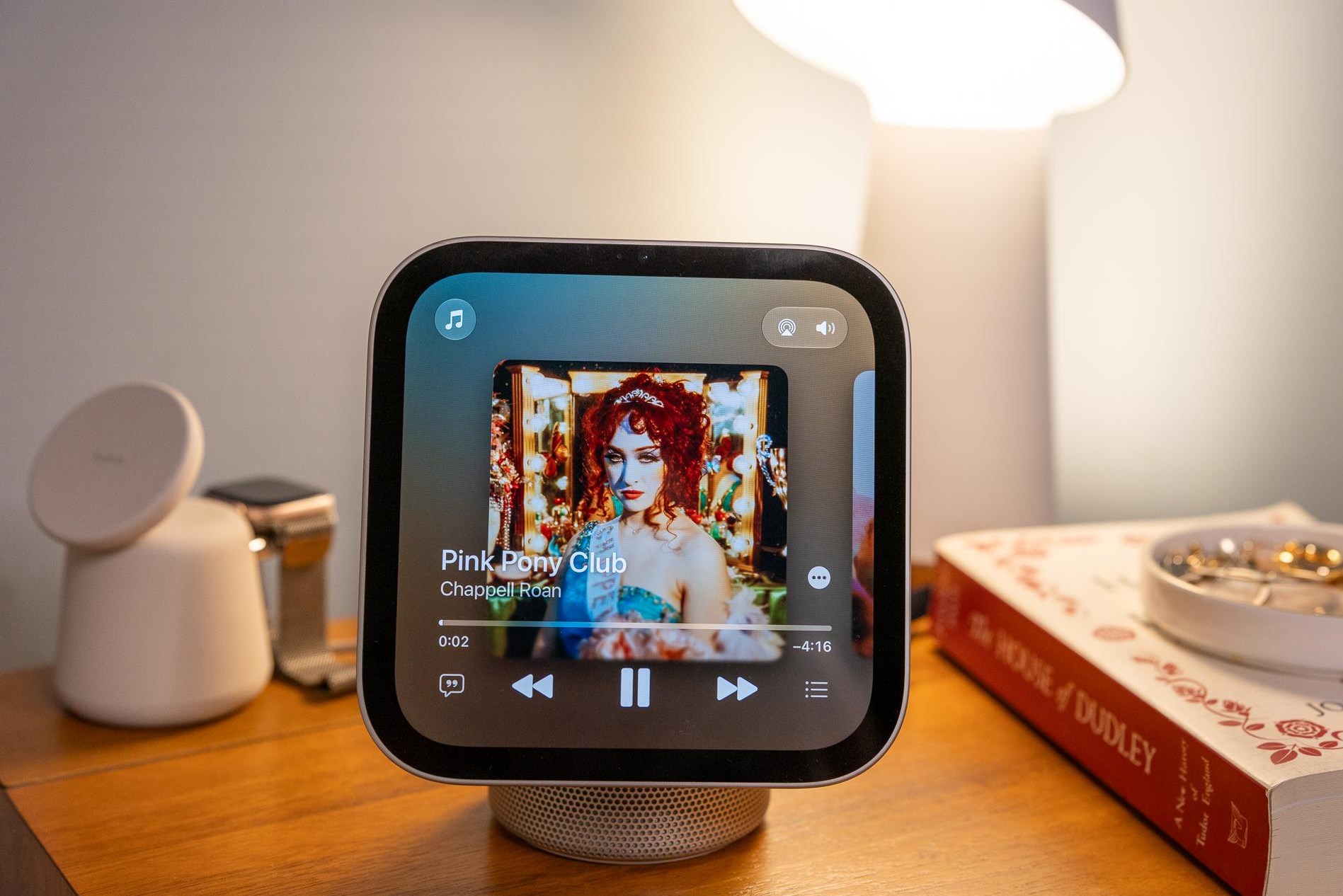
The HomeView's screen acts like a jukebox, making it easy to change songs, select new music, and scroll through podcasts or audiobooks without needing voice control or finding your phone.
AirPlay and audio handoff work

You can AirPlay to the HomeView as with any other AirPlay speaker.Audio handoff works the same as on HomePods: tap your phone to the HomeView and whatever is playing transfers to the speakers and screen.
No default speaker setting

HomeView does not let you set a default speaker or group to use instead of its built-in speaker.
Third-party apps default to HomeView speaker
With third-party audio apps like Spotify and Audible, if you use Siri voice control, it defaults to the HomeView speaker, not the last-used speakers.
“Hey Siri, play 'Femininomenon' by Chappell Roan from Spotify”
Spotify works but with limitations

Spotify works on the HomeView, but only shows up when your phone is connected to the HomeView via your profile, so only you can use it. This applies to all non-native and third-party apps.
CarPlay apps lack search and are slower
CarPlay apps on HomeView take longer to load and respond more slowly than native apps.
“There's no search box because you're not supposed to type while driving; only I'm not driving, I'm in my kitchen!”
CarPlay audio playback is buggy
Playing audio through CarPlay apps is buggy.It did not always bring up the music control screen, requiring use of the iPhone to control it.
“Siri, resume my Audible book. Siri: Shuffling latest songs from Apple Music.”
Buy HomeView for the screen, not the speaker

If you do not care about other smart display features and just want a smart speaker, buy HomeView only if you want a touchscreen music controller.
HomePod Mini better for voice-only control

If you want a smart speaker primarily to play music and are happy using your voice or phone to control it, the HomePod Mini is better.
HomeView fits in if you own HomePods
If you already own HomePods and use Apple Music, the HomeView's touchscreen will fit in nicely as a simple way to control audio.Do not buy one expecting it to fully replace a dedicated smart speaker.
The bottom line
Apple's HomeView is a capable music controller with decent sound for its size, but third-party audio apps suffer from CarPlay limitations that make them slower and less functional than native alternatives.
Read the TL;DR — this story on one card.