From WABetaInfo · WABetaInfo · · 1m 20s
WhatsApp Adds Profile Cover Photos to Android
WhatsApp beta testers can now set landscape cover photos for personal profiles on Android.
In brief
WhatsApp beta testers can now set landscape cover photos for personal profiles on Android. WhatsApp is rolling out profile cover photos to Android beta testers via version 2.26.43.11, allowing personal accounts to customize their profile with a landscape image. Originally reported by WABetaInfo.
WhatsApp Introduces Profile Cover Photos
WhatsApp is introducing a feature that lets users personalize their profile with a landscape image.
Cover Photo Appears in Multiple Places
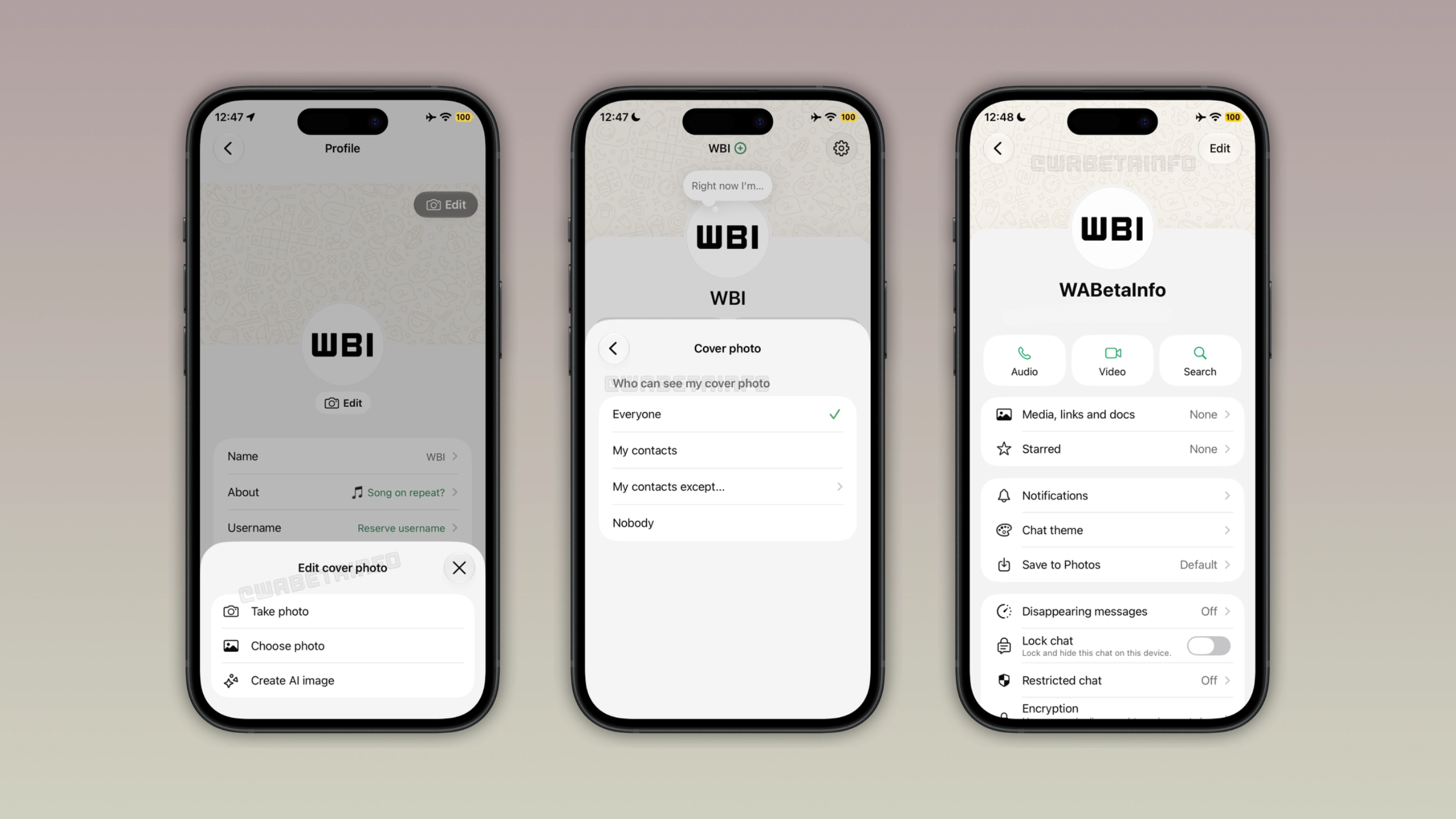
The cover photo appears at the top of the app settings, profile page, and chat info screen when other users open the conversation.
Privacy Controls for Cover Photos
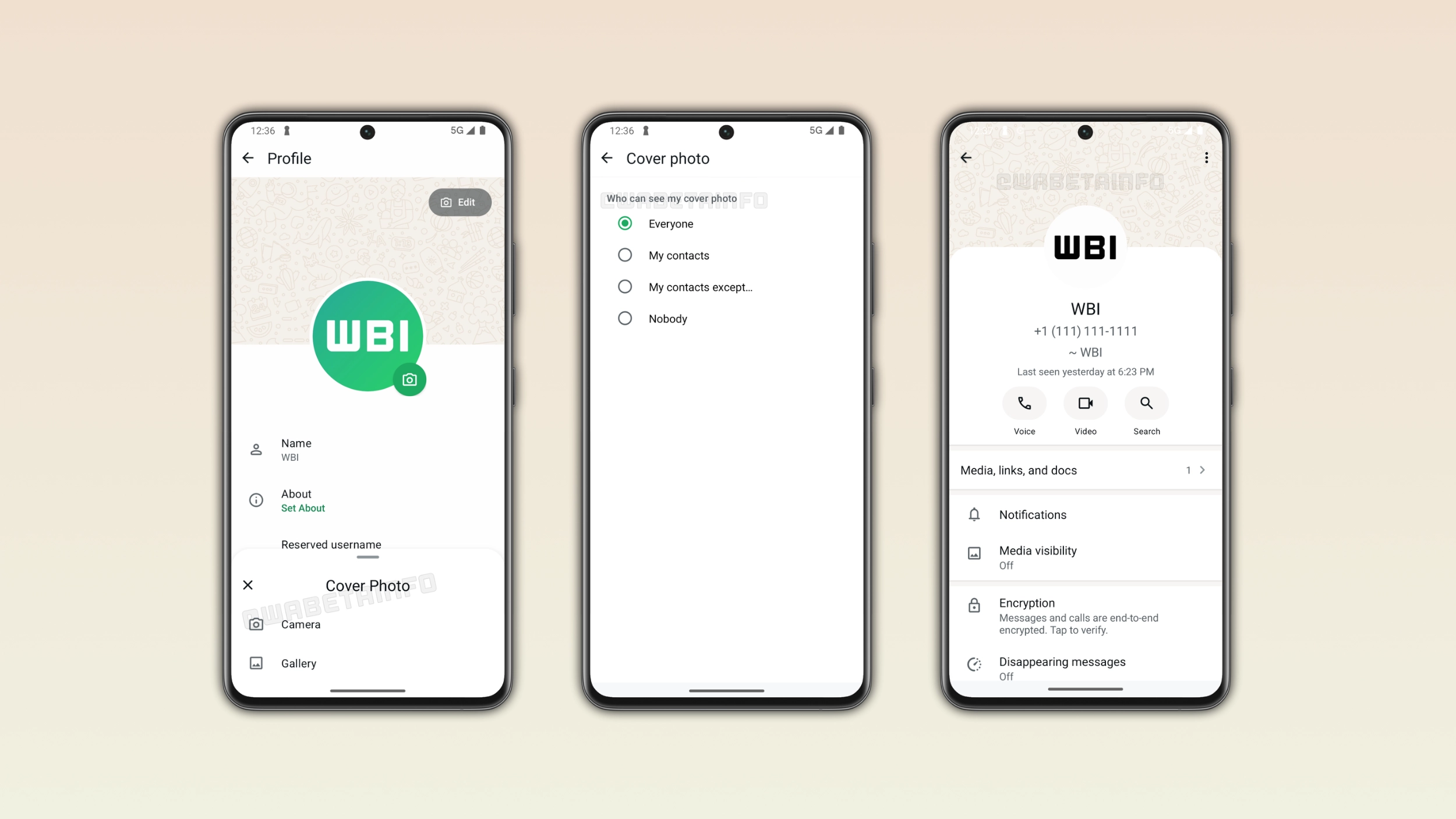
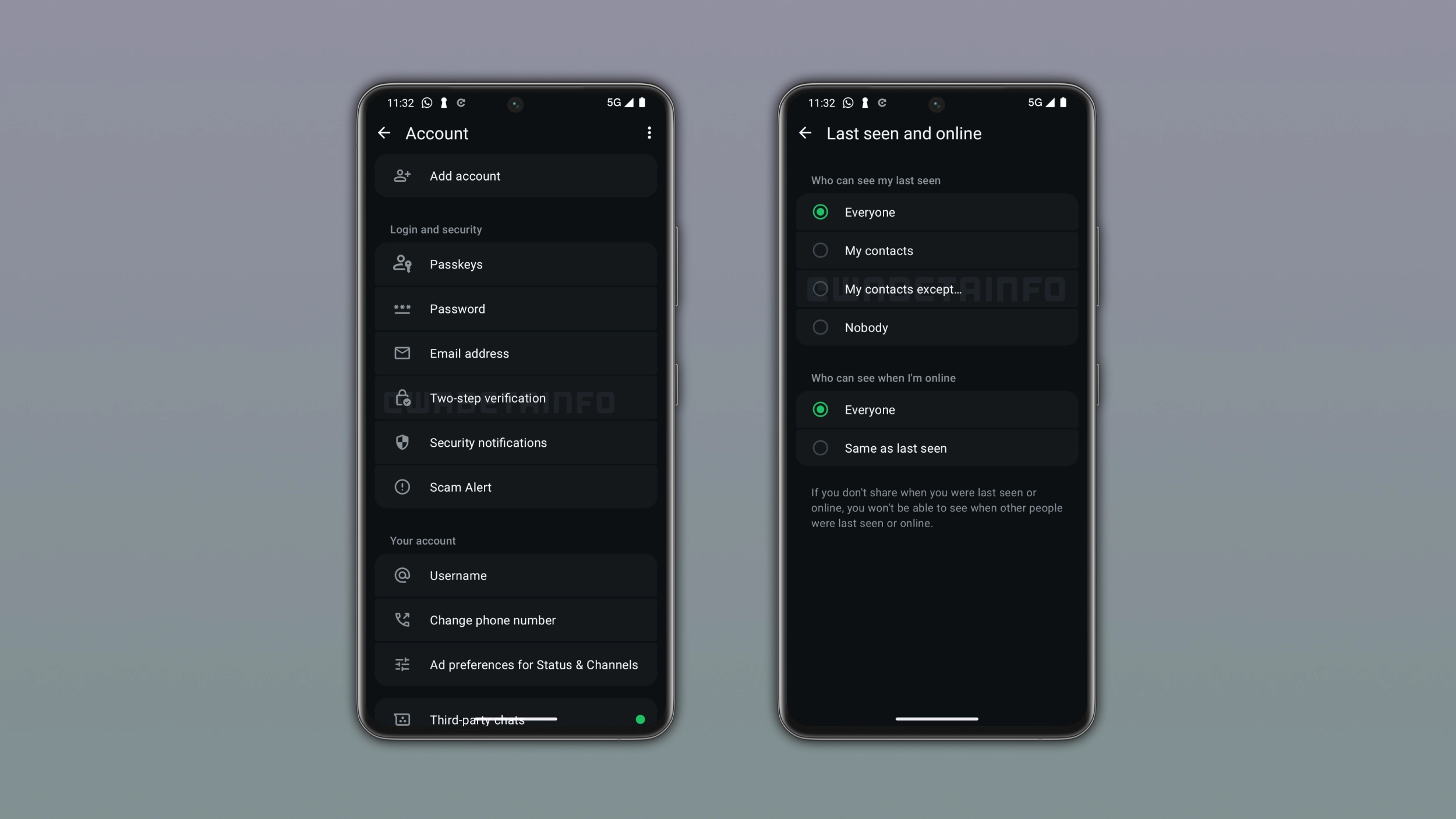
Users can control who can see their cover photo from their privacy settings.
Beta Availability Details
This feature is available to some beta testers and rolling out to more people over the coming weeks via WhatsApp beta for Android 2.26.43.11.
How to Set a Cover Photo
Users can set a cover photo by tapping the Edit button on their profile page to choose a new photo, gallery image, or Meta AI generated image.
Who Can See the Cover Photo
Users can choose visibility options: Everyone, My contacts, My contacts except, or Nobody for their cover photo.
Where Cover Photos Appear
When other users open chat info screens, they see the cover photo above the profile picture, name, and phone number.
The big picture
WhatsApp is rolling out profile cover photos to Android beta testers via version 2.26.43.11, allowing personal accounts to customize their profile with a landscape image.