From Owntime · · 1 min
OwnTime: A Chess Clock Approach to Daily Time Management
Reclaim your schedule with mutually exclusive daily time budgets, real alarms, and absolute data privacy.
In brief
Reclaim your schedule with mutually exclusive daily time budgets, real alarms, and absolute data privacy. Treating your day like a chess clock with mutually exclusive budgets and real alarms helps break hyperfocus and keep priorities balanced. Originally reported by Owntime.
A chess clock for your day
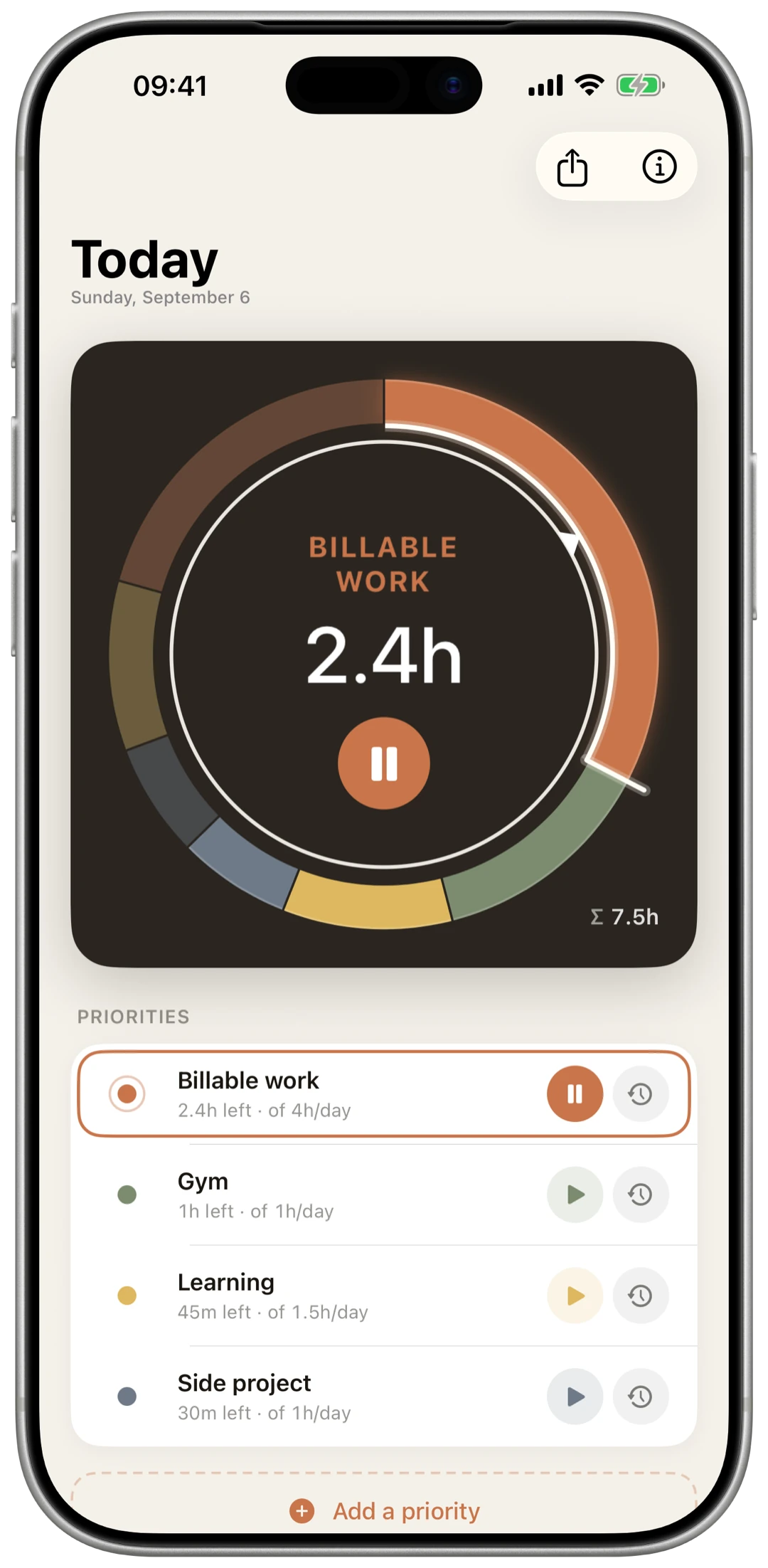
Set daily time budgets for key priorities. Starting one timer automatically pauses all others, keeping your attention strictly on a single task until budgets reset at midnight.
“Only one clock runs at a time, so starting one pauses the rest.”
Alarms that force a pause
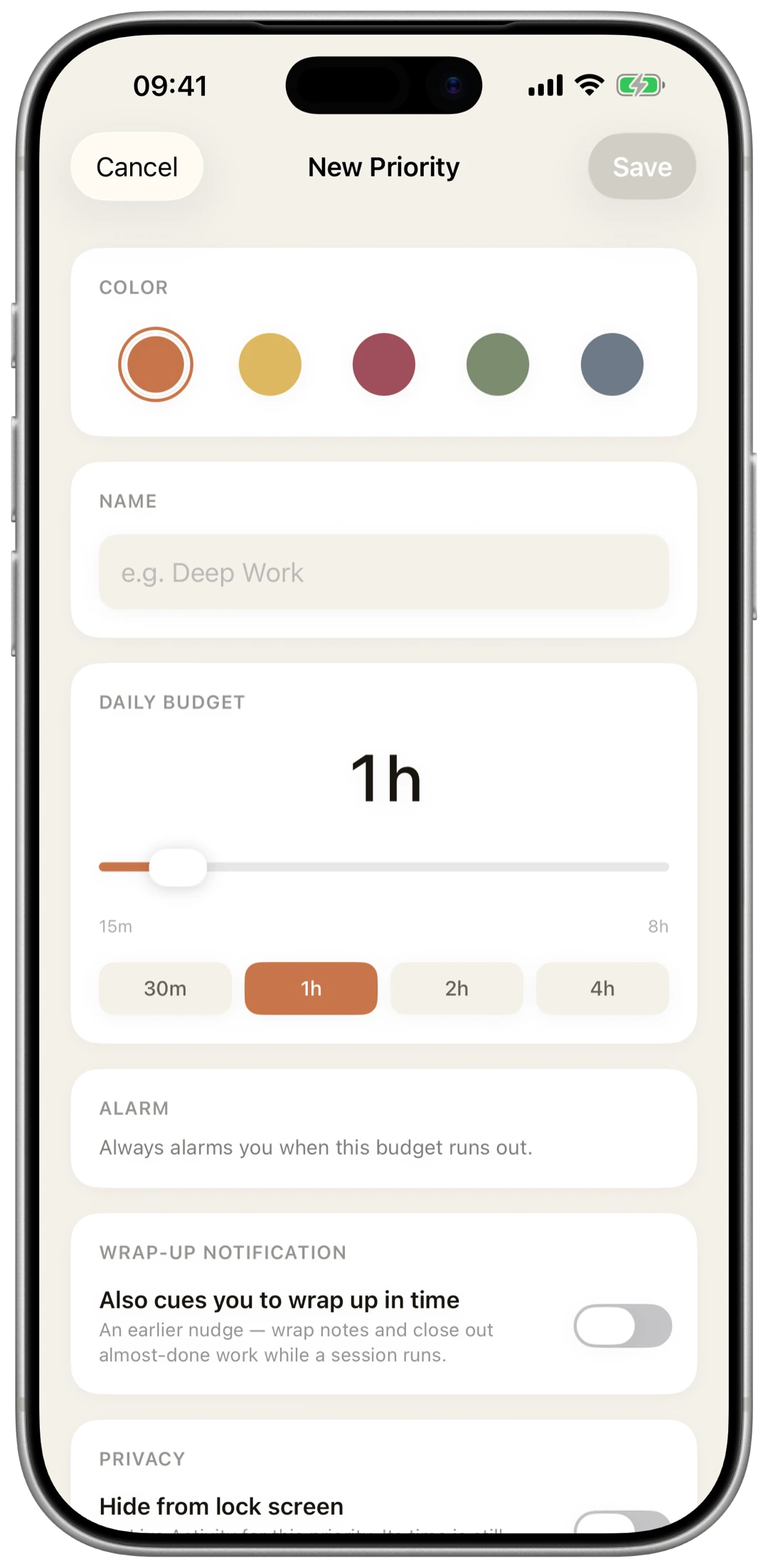
Instead of easily ignored notifications, OwnTime fires full alarms through Focus and silent modes when time runs out, snapping you out of deep hyperfocus.
“A notification is too easy to miss when you are absorbed in something.”
Wrist and voice control
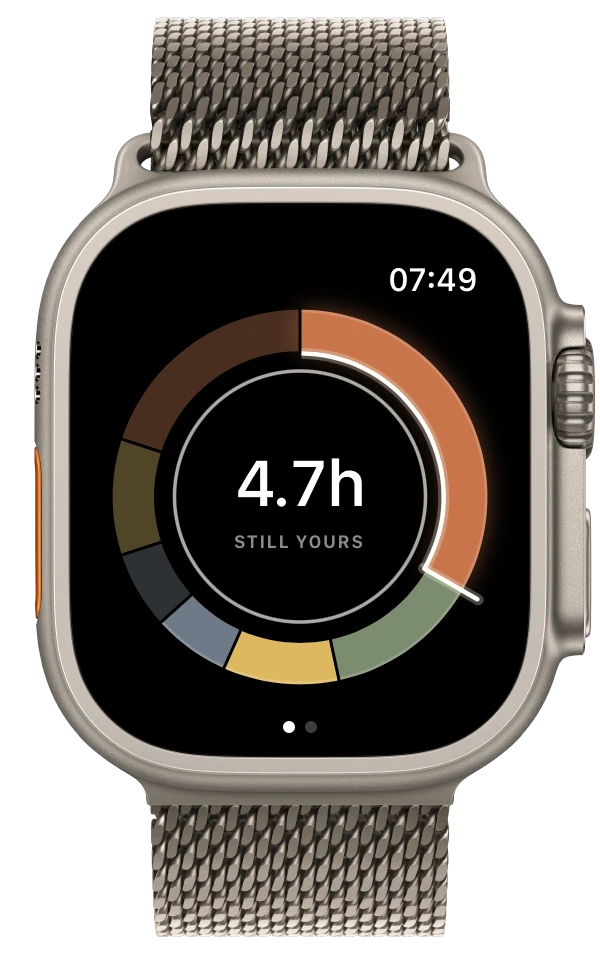
Check remaining hours on Apple Watch, start or stop timers hands-free using Siri phrases, or bind the toggle command directly to the Action Button.
“The Apple Watch is the natural surface for anything to do with time”
Private by design
With no accounts, servers, or cloud sync, your schedule stays strictly on your hardware. Phone and watch sync directly over local WatchConnectivity.
“There is no server and no account. Your priorities and sessions stay on your devices.”
Own your focus data
Export your entire time tracking history into a plain SQLite database with one tap, enabling deep custom analysis in whatever external tools you prefer.
“Export the whole history as a SQLite database and evaluate it however you like”
Simple one-time purchase
OwnTime runs on iPhone, Apple Watch, or both as a single one-time purchase with no recurring subscription fees.
“One-time purchase, no subscription.”
What matters most
Treating your day like a chess clock with mutually exclusive budgets and real alarms helps break hyperfocus and keep priorities balanced.