From Engadget · Dave Meikleham · · 2m
Why your laptop fan sounds like a jet engine
Loud fans are usually normal, but some noises signal real trouble.
In brief
Loud fans are usually normal, but some noises signal real trouble. Loud laptop fans under heavy load are normal and safe, but fans running at full speed during light tasks or making rattling sounds need professional attention. Originally reported by Engadget.
Your laptop fan is working hard

Loud fans on gaming laptops and workstations are usually normal. They spin fast to ventilate heat from your CPU and GPU during demanding tasks like gaming or video rendering.
Demanding games cause the loudest noise

Modern games like Crimson Desert push both GPU and CPU hard, forcing fans to spin at extreme speeds. High-end gaming laptops can reach over 50 decibels, which is seriously distracting.
Background processes add to the noise
Too many programs running in the background tax your fans. Check task manager, close unnecessary apps, and make sure nothing is blocking ventilation to reduce noise.
Loud fans during heavy load are safe

If your laptop sounds like a jet engine while playing demanding games with ray tracing, that's completely normal and safe. Your fans are just doing their job cooling the system.
Watch for fans running at full speed idle
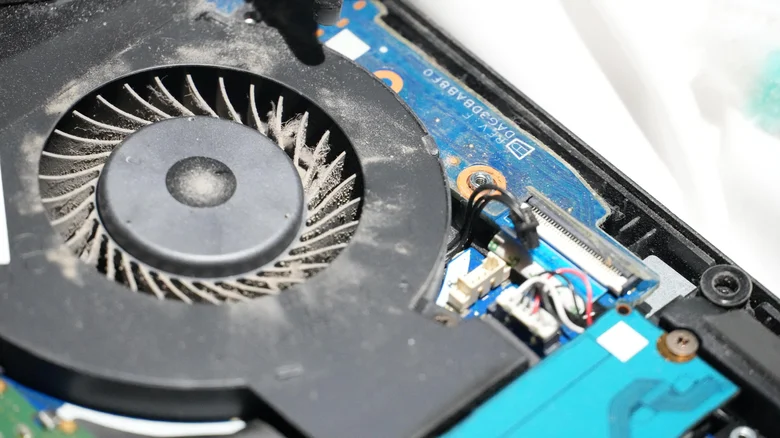
If your fans run at maximum speed while just browsing the web or switching tabs, something is wrong. This could signal dust buildup restricting airflow inside your laptop.
Dust clogs fans and makes them louder

Debris accumulation covers fan blades and restricts airflow, making fans work harder and sound worse. A repair specialist can open your laptop and use compressed air to clean the fans.
Rattling sounds mean bearing damage

Irregular rattling or buzzing from your fans suggests the fan's internal bearing is damaged. A broken fan can't cool properly, leading to overheating, crashes, and shutdowns. Get it fixed immediately.
Switch to power efficiency mode
On Windows, go to Settings, System, Power and battery, then select Best power efficiency. This reduces fan speeds and noise while improving battery life.
Lower game settings to reduce noise
Cap frame rates at 60 FPS, turn off ray tracing, and lower resolution to reduce GPU strain. Gaming laptops often have quiet modes in their software that drastically cut decibel levels.
Improve ventilation around your laptop
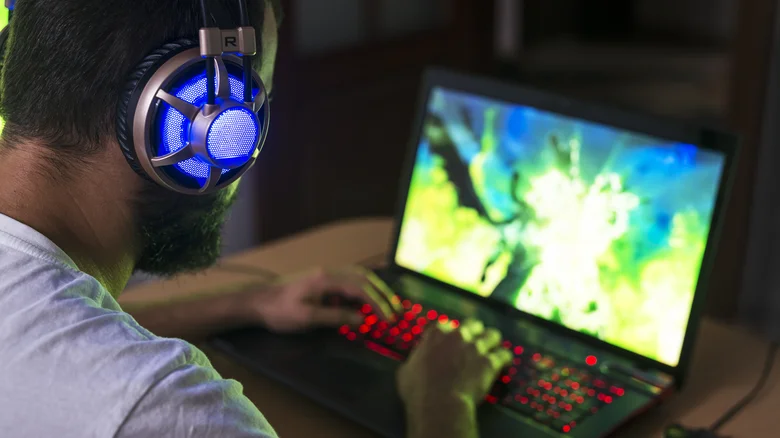
Place your laptop on a flat desk surface, not on a bed or your lap, which blocks airflow. In hot weather, fans work harder, so keep your laptop in cooler conditions when possible.
What it means
Loud laptop fans under heavy load are normal and safe, but fans running at full speed during light tasks or making rattling sounds need professional attention.