From WABetaInfo · WABetaInfo · · 1m 20s
WhatsApp Android Beta Adds New Bottom Navigation
WhatsApp beta users on Android now see a floating bottom navigation bar with circular tabs and theme-based colors.
In brief
WhatsApp beta users on Android now see a floating bottom navigation bar with circular tabs and theme-based colors. WhatsApp's Android beta introduces a redesigned bottom navigation bar that floats above the screen and shrinks during scrolling. Originally reported by WABetaInfo.
New Bottom Navigation Bar
WhatsApp beta users on Android now see a floating bottom navigation bar that shrinks during scrolling.
Circular Tab Design
The selected tab shows a rounded highlight around the icon with a circular shape instead of a pill.
Progressive Blur Effect
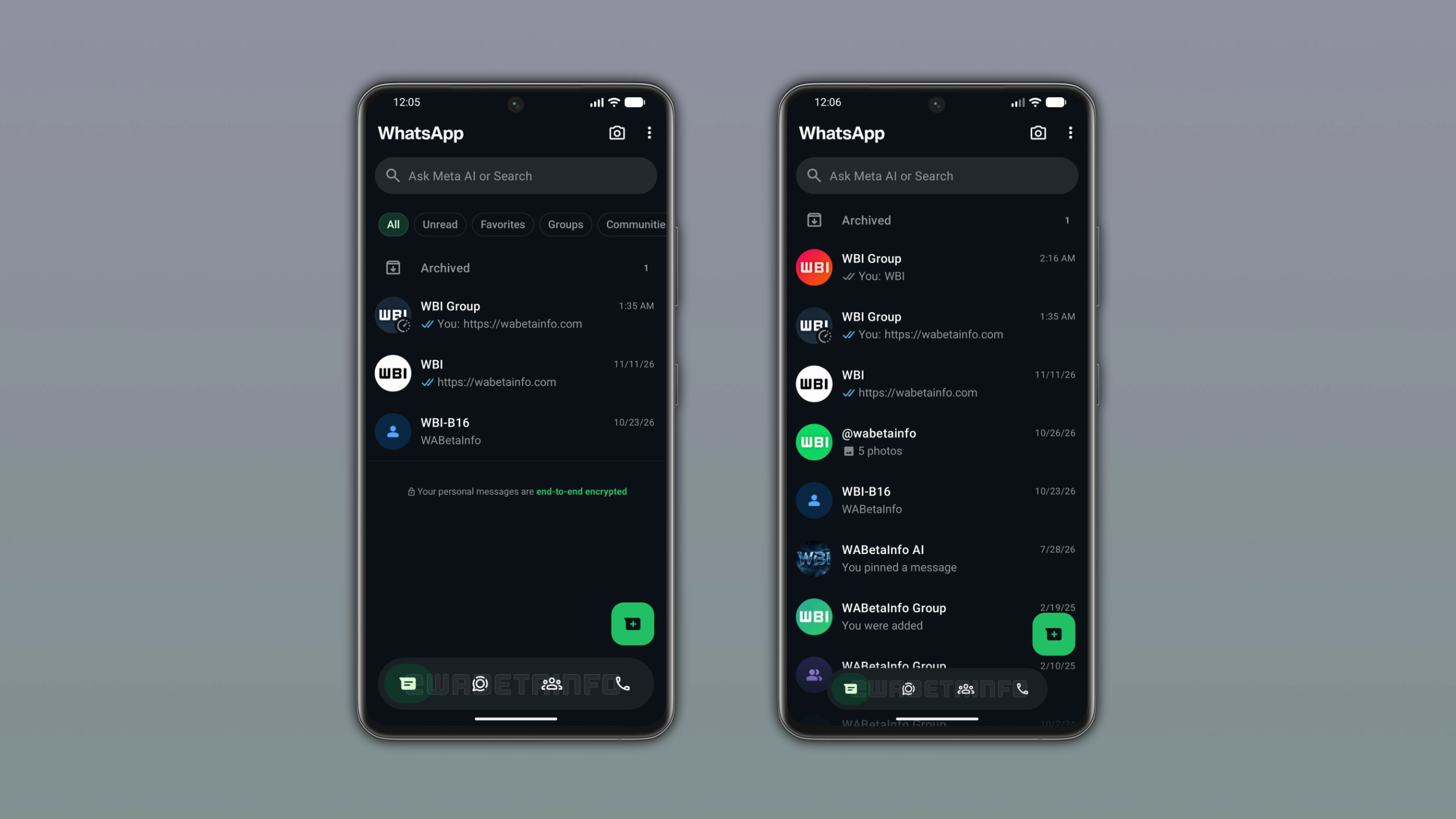
WhatsApp added a progressive blur effect below the bottom navigation bar for a smooth transition.
Theme-Based Selection Color
Users can choose a different accent color for the selected tab based on their app theme.
Scrolling Behavior
When users scroll down, the bar gradually shrinks into a compact floating pill until it becomes invisible.
Full Restoration on Scroll Back
Scrolling back up restores the bottom navigation bar to its full size and visible state.
Contacts Tab Integration
WhatsApp introduced a new Contacts tab replacing the Communities tab for quick contact access.
Contact Sorting Options
Users can sort contacts by alphabetical order, birthdays, or activity to see who is online.
Online Status Visibility
Contacts marked as online show a green dot in the list when users sort by activity.
The takeaway
WhatsApp's Android beta introduces a redesigned bottom navigation bar that floats above the screen and shrinks during scrolling.
Read the TL;DR — this story on one card.